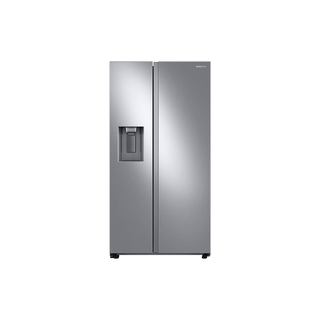
Samsung RS27T5200SR/AA side-by-side refrigerator
Samsung RS27 troubleshooting and repair checks
A good service request describes what the RS27T5200SR/AA did, when it did it, and what changed beforehand. “The fridge is broken” does not tell a technician whether the complaint is cooling, ice production, water flow, a control mode, or a leak. This exact model has a side-by-side layout and external filtered-water dispenser, and Samsung publishes a specific RS27T/RS22T warning about cross-connected door lines.
Capture the evidence while the symptom is present. Avoid resetting the refrigerator or repeatedly changing temperature settings before taking photos; those actions can clear a message or obscure the original state. A structured record helps the service team decide what to check and prevents premature part guesses.
Identify the unit and warranty context
Photograph the full model and serial label and copy the complete model code, including the /AA suffix. Record purchase date, delivery date, installation company, and any recent door removal, line work, power interruption, or relocation. The model label is more reliable than a retailer shorthand or a similar-looking RS27 listing. Save receipts and a copy of the specification sheet if you have them.
Write down whether the refrigerator is under a manufacturer or retailer service plan and whether another technician has already visited. Include replaced filters or parts, but do not assume that a newly installed component is correct or defective without checking its identifier and receipt.
- Send the label photo and installation/service timeline with the service request.
Describe cooling with measurements
For a cooling complaint, report separate fresh-food and freezer temperatures, the displayed setpoints, and times of measurement. State whether one or both compartments are warming and whether it began after groceries, a door left open, a power event, or a move. Include visible vent obstruction or a door that does not close. Samsung documents Cooling Off mode for the RS27T5201/RS22T5201 control family, so photograph unusual “0” and “FF” readings with the panel before touching controls.
Give a clear progression: “both compartments normal yesterday; freezer now warming; display shows X; doors closed; no outage known.” This is more actionable than naming a compressor, evaporator, or board. If the temperature problem is intermittent, capture the time, door use, and whether the compressor/fan sound changed, without taking the unit apart.
- Provide readings and a short timeline rather than a diagnosis.
Describe water and ice as separate outputs
For a dispenser issue, note the selected function and exact output: nothing, slow water, water when Ice is selected, or ice in the bucket that will not dispense. Record whether the symptom began immediately after delivery or door work. Samsung specifically says RS27T and RS22T models have two water lines and crossed lines can swap water/ice functions. This information should be near the top of the service ticket if the outputs changed after installation.
Add the filter’s printed part number, approximate installation date, filter indicator state, and visible supply-line condition. Do not remove door connections to “check” them. If the problem includes water on the floor, stop testing and report where the moisture appears and when.
- Photograph the filter label and the selected control/output, taking care not to expose personal information.
Record sounds, leaks, and codes accurately
For an unusual sound, capture a brief video from a safe standing position and note whether it occurs during cooling, water dispensing, or ice making. For a leak, show the location and whether it is under the appliance, at the dispenser, or near the visible supply. Absorb standing water and protect the floor; do not reach behind a wet appliance or touch a wet outlet.
Photograph a complete error display before power cycling. Record whether it is constant or intermittent and which feature stopped working. Samsung’s error-code guide is model-dependent; send the exact code and full label rather than interpreting a flashing segment from memory. If the display is blank, mention whether interior lights and external dispenser controls still respond.
- Keep the original code photo and a timestamped video for the technician.
Set expectations for owner checks
Safe owner checks include door closure, visible blocked vents, the control indicators, accessible water shutoff position, and the exact filter label. Service is appropriate when cooling does not recover, a code repeats, water is leaking, an output remains swapped after installation checks, or the next step requires access to an electrical compartment or sealed system. Avoid repeated resets as a substitute for diagnosis.
Ask the service provider what information they need before arrival and whether the refrigerator must be emptied or pulled forward. Keep the unit accessible but do not move it across a floor with connected tubing. A well-prepared visit gives the technician the symptom history and lets them spend time testing instead of reconstructing the event.
- Share the observation record and ask the service team about access and preparation.
Common questions
Should I reset the refrigerator before calling?
Record the display and symptom first. A reset can remove useful evidence, and repeated cooling or water symptoms still need diagnosis if they return.
What matters most if water and ice functions swapped?
Tell service the exact model, whether doors were removed, and which output appears for each selection. Samsung identifies cross-connected door lines on RS27T/RS22T as a specific possibility.