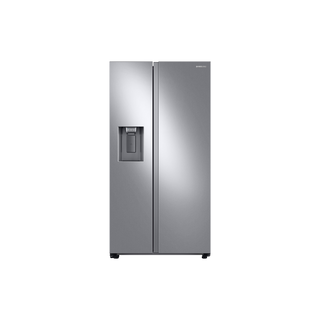
Samsung RS27T5200SR/AA side-by-side refrigerator
When the RS27 is powered but not cooling
The RS27T5200SR/AA is a side-by-side refrigerator with separate fresh-food and freezer compartments, external water and ice dispensing, and Samsung All-Around Cooling. When the display and lights work but food warms, first establish whether both compartments are affected and whether the compressor has actually been allowed to cool. A powered display by itself does not prove the cooling system is running.
Work from visible clues toward a service decision: check the displayed temperatures and mode indicators, confirm both doors close, look for blocked interior air outlets, then note the duration and pattern of the temperature change. Samsung has a control-panel guide specifically for RS27T5200*; it identifies Cooling Off (Shop mode) separately from a mechanical cooling problem. Preserve the original settings and indicator pattern before changing anything.
Check both compartment temperatures
Check a reliable thermometer in each compartment and write down the readings with the display values. The pattern matters: a warm fresh-food section with a colder freezer points to a different airflow picture than both sections warming together. Samsung describes this model as All-Around Cooling, but do not infer that one warm shelf identifies a failed fan or a blocked duct. Record which shelves and drawers are affected and whether the change is steady or intermittent.
After a temperature change, Samsung’s general cooling guide allows up to four hours for the display to reflect the setting and up to 28 hours to reach the selected temperature with the doors kept closed. This is a brand troubleshooting interval, not a guaranteed RS27 recovery time under every load or room condition. Note whether the temperatures are falling; continuing to warm, a service code or unsafe food storage calls for prompt action rather than simply waiting out a timer.
- Record separate refrigerator and freezer readings, display setpoints, and the time each was taken.
Check Cooling Off mode and the controls
Samsung’s RS27T5200* panel guide says Cooling Off (Shop mode) leaves the fans and lights on but disables the compressors. In this mode the refrigerator display reads “0,” the freezer reads “FF,” and the unit chimes. If you see this exact pattern, the refrigerator is in a retail/demo mode rather than actively cooling. The guide’s toggle requires holding Fridge and Power Cool together for six seconds, then pressing Lock when the display blinks; follow that sequence only on the matching RS27T5200 panel.
If the display shows ordinary temperature values, photograph the indicators and note whether the feature or dispenser panels accept input. The RS27T5200 controls are split between the inside feature panel and external dispenser panel. A lock indicator can block dispensing, but it does not explain rising temperatures on its own. Avoid changing multiple settings before noting the current display.
- If and only if the RS27T5200 display shows 0 and FF with the Cooling Off chime, use Samsung’s RS27T5200* guide to exit Shop mode.
Inspect the everyday airflow and closure factors
Look for packages pushed against visible air outlets, overfilled shelves, or items preventing either door from closing. Check the gasket contact surfaces for crumbs or sticky residue and confirm that no container projects into the door path. Samsung’s guide advises checking for a door left ajar, blocked vents, and recent loading when diagnosing temperature complaints. These are useful owner checks because they do not require removing a panel or reaching into a fan opening.
Look at the unit’s position and the visible clearance around it. If the refrigerator was recently installed or moved, note whether it rocks, sits unevenly, or has an obstructed ventilation space. Do not pull a full refrigerator out to inspect its rear while loaded; report access limits to the installer or service team.
- Clear packages from visible vent openings and confirm both doors close without pressure from stored items.
Decide whether a recent event fits
A short-lived rise after loading warm groceries or leaving a door open differs from a continuing rise with doors closed and vents clear. Record the event and the subsequent trend rather than repeatedly lowering the setpoint. Rapid setpoint changes can obscure whether the original problem resolved. If only one compartment remains warm while the other stabilizes, share that split with Samsung support; if both continue to warm, say so explicitly.
For a recently changed setpoint, use Samsung’s four-hour display and up-to-28-hour cooling guidance under its stated closed-door condition. A refrigerator that is not cooling at all follows a separate troubleshooting branch; do not treat the longer adjustment interval as proof that a stopped cooling system is normal. Protect perishable food while you assess a continuing temperature rise.
- Describe what changed immediately before the temperature rise and whether the pattern is improving, stable, or worsening.
When to call for service
Have the full model code from the product label, purchase/installation date, display photographs, separate compartment readings, and a short timeline ready. Include whether the refrigerator makes normal sounds, whether the ice maker or dispenser behavior also changed, and whether the symptom began after a move or door service. Avoid labeling the cause as a compressor, fan, sensor, or sealed-system failure; these observations do not establish which component is responsible.
If the unit repeatedly loses cooling, displays a service-related code, or does not respond to documented mode guidance, arrange authorized diagnosis. Do not remove the rear cover, probe wiring, or attempt refrigerant work. Samsung’s troubleshooting pages provide a service path when owner checks do not resolve the symptom.
- Keep the unit powered and doors closed while arranging service unless there is an immediate electrical or water hazard.
Common questions
The lights and display work. Does that confirm cooling?
No. Samsung explains that Cooling Off mode can leave lights and fans operating while cooling is disabled. Check the documented mode indicators and report actual compartment temperatures.
Only the refrigerator side is warm. Should I change both setpoints?
Record both current setpoints and actual temperatures first. A split pattern is useful diagnostic evidence; changing both controls at once makes the change harder to assess.