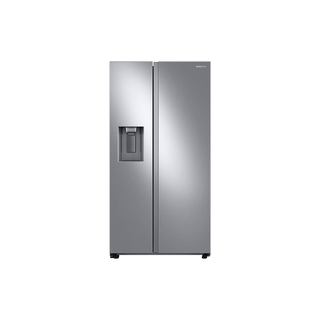
Samsung RS27T5200SR/AA side-by-side refrigerator
Trace an RS27 ice-production problem from output to supply
The RS27T5200SR/AA combines an in-freezer ice maker with an external dispenser, so “no ice” can mean ice is not being made, the bucket is not feeding, or the dispenser is not delivering it. Separate those outcomes before assuming the ice maker has failed. Samsung’s ice guide includes the RS27T/RS22T line-connection issue, which is especially relevant when the symptom began after installation or door removal.
Begin with what you can observe: the ice maker’s visible status, the bucket contents, the selected dispenser function, and whether water dispenses. Do not remove the ice maker assembly or reach into moving parts. Capture the sequence and any display code; that information determines whether the next step is a simple supply check or manufacturer service.
Separate production from delivery
Open the freezer and inspect the bucket without dismantling the ice maker. An empty bucket means production or harvest is the question; a bucket containing ice but no delivery points toward the dispenser path, selection, or a jammed load. If the dispenser produces water when ice is selected, write down that exact cross-function result. Samsung describes this as a known RS27T/RS22T clue when the two door water lines have been cross-connected.
Check that the bucket is seated in its normal position and that visible ice is not bridged into a solid mass. Do not force the bucket, auger, or flap. Record whether ice is absent, clumped, unusually small, or present but not dispensed; each description gives support a more precise starting point.
- Record bucket state and output from separate Water, Cubed Ice, and Crushed Ice selections if the panel allows them.
Check the controls and door conditions
The RS27 uses an external dispenser and an inside feature panel. Confirm that the door is fully closed, the dispenser is not locked, and Ice rather than Water is selected before requesting ice. A lock indicator or open door can block dispensing without proving that ice production stopped. If the refrigerator was just installed, check whether the ice maker is enabled using the matching owner instructions; do not borrow button timing from a different Samsung panel.
Note whether the ice maker indicator or any displayed message changes when you use the controls. If no button response occurs, capture the indicator and control-panel photograph. Keep the question narrow for support: is the machine producing ice, is the bucket feeding, and is the dispenser responding?
- Confirm door closure and selected dispenser function; photograph any lock or ice-maker indicator.
Follow the water path without opening the appliance
Check the household shutoff position and visible supply tubing for a kink, crush, or leak. If the refrigerator was installed recently, note whether ice or water ever worked. The RS27 specification identifies filtered external water and ice, and Samsung’s ice guidance discusses water supply and pressure as possible conditions. Do not disconnect a pressurized line or estimate pressure by loosening fittings; an installer or plumber can verify supply when the external checks are inconclusive.
Check whether dispenser water flows normally and whether it is slow or intermittent. A water-flow change that affects both dispenser and ice production is different from a normal water stream with no ice production. Also record the filter identifier and when it was last changed; a restricted filter can affect water delivery. Use the filter instructions that match Samsung’s HAF-QIN designation.
- Look only at accessible tubing and the household valve; stop if you see moisture or a damaged line.
Use timing as evidence, not a pass/fail threshold
Ice production naturally takes time after installation, a long outage, or a period with the ice maker disabled. Instead of expecting an exact number of cubes by a guessed deadline, record when the unit was connected, when the ice maker was enabled, and whether any water or ice was produced afterward. Samsung’s troubleshooting flow may direct a model-specific ice-maker test; use that only through the applicable instructions and report its displayed result.
If production stopped after moving the refrigerator or servicing the doors, tell support. On RS27T/RS22T, incorrectly reconnecting the two water lines can swap water and ice behavior. Do not remove the door or hinge covers to inspect the couplers yourself; the manufacturer points owners to the manual for door service instructions.
- Provide the installation or door-service date and the first time the water/ice outputs behaved unexpectedly.
Escalate based on the observed outcome
If there is no ice and water supply is also abnormal, report both facts and ask for help confirming the external supply/filter path. If the bucket has ice but no ice exits, report bucket fill, selection, door state, and whether water dispensing still works. If water exits when ice is selected or ice-making produces water at the dispenser, mention the RS27T line-cross-connection guidance specifically.
Contact Samsung service if the manufacturer’s owner checks do not restore operation, a code remains, the ice maker is visibly damaged, or water is leaking. Avoid reaching into the ice maker, forcing frozen parts, or removing panels. A short video showing the selected function and actual output can help reproduce intermittent behavior.
- Stop use and arrange service for active leaks, visible damage, repeated error display, or abnormal mechanical noise.
Common questions
There is ice in the bucket, but none comes out. Is the ice maker broken?
Not necessarily. Production can be normal while bucket seating, ice bridging, lock state, door closure, or dispenser delivery prevents output. Note the bucket contents and selected function separately.
Water comes out when I press Ice. What should I report?
On RS27T/RS22T models, Samsung documents crossed water lines as a possible cause of swapped water/ice behavior, particularly after installation or door work. Report when the symptom began and avoid disconnecting door lines yourself.