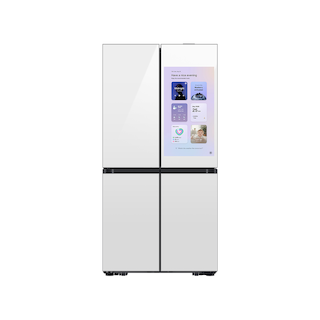
Guidance for Samsung refrigerators. Check the feature and control descriptions against your model.
Specifications & model details
RF23DB990012AA: model-specific checks
Start with the source identity
Samsung RF23DB990012AA is the exact code in this catalog record. This topic should be evaluated for that code and refrigerators category. The original source record is linked below; unrecorded settings, dates and compatibility remain unknown.
Use the full refrigerator model and serial information to find documentation, then choose the document that matches the job. Check applicability and revision before using instructions, especially for installation or service.
Owner guide: Manuals & documents
Category & symptom guidance
Manuals & documents
4 minute read · Shared guidance for refrigerators
Record model and serial information
Locate the refrigerator’s model and serial information from the appliance label or its original paperwork. Copy every character carefully, including letters, spaces, and suffixes. A partial model number can return documents for a similar product that differs in features or installation details. Keep a clear photo of the label for support requests.
If the label is inaccessible after installation, check the owner paperwork or ask the manufacturer where the identification label is on that model. Do not move a heavy appliance just to search for a label if doing so could damage a water connection or floor.
Photograph the label where it can be read safely.
Transcribe the full model and serial information.
Use paperwork or official support if the label cannot be reached safely.
Choose the document for the task
An owner manual explains normal operation, care, and owner-facing instructions. An installation guide covers placement and connections. A parts list identifies components and ordering information. A service manual is intended for repair work and may include procedures that are not owner checks. Choose the document by the task, not by whichever PDF appears first in search results.
For a setup question, look for installation instructions. For a feature procedure, consult the owner manual or official feature guidance. Do not treat a parts diagram as proof that a part fits your exact unit, or use service procedures to open electrical or sealed systems.
Name the task you are trying to complete.
Select the owner, installation, parts, or service document accordingly.
Use service documentation only with appropriately qualified repair support.
Confirm the document applies
Compare the document’s model list, product family, and any stated revision or publication date with your refrigerator. Some documents cover a range of models; verify that your exact model is included. A close model number or matching appearance does not establish that the instructions apply, particularly where connections or features differ.
If the file does not identify its applicable models, ask manufacturer support to confirm before relying on it. Save the title, revision, and source page along with the downloaded file so you can tell the installer which version you reviewed.
Check the document’s model applicability and revision details.
Confirm uncertain coverage with the manufacturer.
Retain the source page and document version.
Start with official manufacturer support
Use the manufacturer’s official support page or model lookup as the starting point for manuals and product documents. GE’s refrigerator and freezer support page is relevant for GE products; its feature procedures are GE-specific and should not be generalized to other brands. For another brand, use that maker’s official support channel.
If the official page has several results, compare model identifiers and document titles before downloading. If no document appears, contact support with the complete model and serial information and describe the task. Do not assume that a missing search result means no manual exists.
Open official support for the refrigerator’s brand.
Search using the complete model identifier.
Ask support to locate a document if the model lookup returns no result.
Treat web copies as leads, not authority
A manual hosted by a retailer, archive, or general document site may be a useful lead, but it can be incomplete, mislabelled, or for another revision. Compare it with the official source and verify the model coverage before following an instruction that affects installation, connections, or parts. Avoid relying on copied snippets that omit warnings or surrounding steps.
If a web copy conflicts with official model documentation, pause and ask the manufacturer which instruction applies. Keep a record of the answer and the document version. This simple check prevents an owner from carrying a procedure over from a similar-looking refrigerator with different features.
Verify third-party copies against official model documentation.
Resolve conflicts with manufacturer support before acting.
Keep a note of the applicable document and version.
What to do with what you find
The official support result names the exact model and the document type matches the task.
The document is a credible starting point for that owner task, subject to its stated revision.
Read the full instructions and retain the version with your appliance records.
The result covers a related model family but does not list the exact refrigerator or revision.
Applicability remains uncertain, especially for connections or parts.
Ask official support to confirm coverage before following the instruction.
A third-party copy conflicts with the official document or omits model applicability.
The copy may be incomplete or mismatched and cannot settle the question.
Pause the affected work and request clarification from the manufacturer.
Have these details ready
Full model and serial identifiers.
Document title, applicable models, and revision/date.
Official manufacturer support page or confirmation.
Clear statement of the task the document is being used to perform.
Common questions
Which document do I need to install a refrigerator?
Use the installation instructions for the exact model. The owner manual may cover operation but not all placement and connection details.
Can a service manual guide my own repair?
Service manuals can contain repair procedures beyond owner checks. Use qualified repair support for work involving internal electrical, sealed, or other service-only systems.
General background sources
These sources support the shared guide. Exact model specifications and matched family procedures have their own sources above.