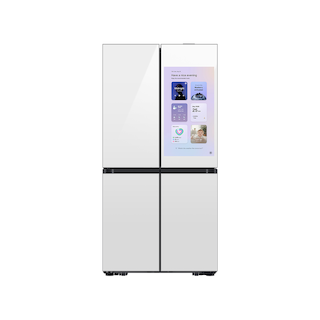
Maintain a Samsung refrigerator by watching airflow, seals, and water clues
Samsung refrigerators span several layouts and control panels, so care instructions such as filter type, removable parts, control sequences, and maintenance intervals vary by model. You can still make routine checks useful by watching the visible airflow path, door closure, temperature trend, water behavior, and display indicators. Use the exact model’s manual for removal, cleaning products, and filter replacement.
This brand-level guide is a practical observation routine, not a claim that every Samsung refrigerator has the same dispenser, ice maker, SmartThings feature, or panel. It helps you catch small changes early and create a clear support record without opening covers or touching energized components.
Keep cooling clues comparable
Choose a repeatable way to observe each compartment: note actual temperature, displayed setting, time, and recent door or loading events. A small thermometer placed where it will not block airflow gives more useful evidence than judging by how cold a beverage feels. Check whether the symptom affects one compartment or multiple zones, since designs differ between top-freezer, side-by-side, French-door, and specialty configurations.
Avoid changing several settings at once. If a compartment seems warm, first check door closure and visible vents; then document what you observe. A trend across several readings helps separate a one-time load-related rise from persistent warming. Follow the exact product guide for food-storage limits and setpoint adjustments.
- Record readings and circumstances before changing controls.
Protect visible airflow and door sealing
Keep packages clear of visible air outlets and avoid forcing drawers or shelves past their normal stop. Check that the doors or freezer drawer close without containers in the way. Wipe crumbs and spills from gasket contact surfaces with the cleaner recommended for that finish. Do not pull a gasket from its groove or apply oil or adhesive to make it seal.
If the refrigerator rocks, doors shift, or gaps appear after a move, record which corner or door is affected and consult the installation guide. Leveling procedures differ by product design. Do not use door alignment alone as proof that the cabinet itself is level.
- Check closure and gasket contact during ordinary loading; document a gap instead of adjusting hinges blindly.
Treat water components as model-specific
If your refrigerator has an external dispenser or ice maker, record whether water flow, ice production, and dispensing behave the same way. A slow stream, water at an ice selection, and an empty ice bin point to different branches. Filter part numbers are not universal: read the cartridge label and confirm it in the exact model’s parts or support listing before purchase.
Look for moisture around accessible tubing or under the unit. Do not loosen a water fitting or slide a heavy refrigerator with a connected line. After filter service, follow the product’s exact flush and indicator instructions. If output changes after installation or door work, include that timing when contacting support.
- Note filter code and the exact function affected; stop if a line is wet or damaged.
Use the panel as evidence
Photograph icons, warning text, and temperature displays before dismissing them. A lock icon, demo/cooling-off message, or filter indicator can change how controls respond, but the names and combinations vary. Do not transfer a button sequence from a similar Samsung model. Search support by the full model code or use the manual supplied for that exact unit.
If an error reappears, preserve the entire display and note whether cooling, ice, or water changed at the same time. A code is a clue for the service path, not a license to remove a panel or replace a part. Samsung’s troubleshooting pages often separate owner checks from service requests.
- Save a clear control-panel photo and exact model label with the symptom record.
Know when routine care becomes service
Routine observations are appropriate while the appliance is stable and there is no leak or electrical hazard. Arrange service if temperatures continue rising, an error repeats, a door or dispenser is physically damaged, or a water leak cannot be stopped safely. For built-in or heavy units, use a qualified installer/service provider to reach rear connections.
Before the appointment, collect the model/serial label, purchase date, filter identification, temperature readings, code photos, and a short timeline. Include recent moving, door removal, outages, or plumbing work. That gives the technician evidence without guessing at a failed component.
- Stop owner checks where access requires a cover, live electrical work, or moving a connected appliance.
Common questions
Can I use one filter recommendation for all Samsung refrigerators?
No. Filter families vary. Match the exact model and the identifier printed on the cartridge, then follow the model-specific replacement and flushing instructions.
Is a warm compartment always a cooling-system failure?
Not on its own. Door closure, blocked airflow, recent loading, control mode, and a persistent cooling fault can look similar. Record readings and indicators before deciding what service is needed.