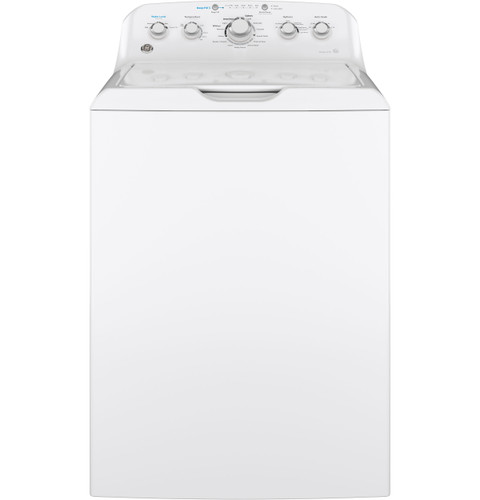
The manual illustrations identify the GTW465 control panel, basket, agitator, and owner-accessible parts. Use them to check loading and cleaning descriptions, not as instructions to remove the cabinet or reach a drive component. If your panel differs, confirm the model suffix before following a control step. Do not use another family’s wiring diagram.
Use diagrams to locate the basket and controls
The manual illustrations identify the GTW465 control panel, basket, agitator, and owner-accessible parts. Use them to check loading and cleaning descriptions, not as instructions to remove the cabinet or reach a drive component. If your panel differs, confirm the model suffix before following a control step.
Use washer diagrams to identify documented parts and relationships, while keeping owner troubleshooting separate from internal electrical service.
Owner guide: Diagrams & wiring references
Category & symptom guidance
Diagrams & wiring references
4 minute read · Shared guidance for washing machines
Choose a reference for the exact washer
Start with the full model designation on the washer label. Search the manufacturer’s support material or parts catalog using that complete identifier, including suffix characters. A manual for a nearby model may share a control layout or cabinet shape while differing in components, connectors, or wiring. Confirm that the document itself names the washer or an expressly covered family before relying on it.
Identify what kind of reference you have. An owner manual explains controls, installation, care, and owner troubleshooting. A parts diagram shows component names and relative locations. A wiring diagram documents electrical connections for service. A product specification sheet summarizes selected features and dimensions; it does not replace a wiring reference or service procedure.
Read a parts illustration without overreading it
Use callouts and item numbers to connect a named component with a location in the illustration. Check whether the catalog separates revisions or lists notes about which variant uses the item. A drawing can clarify whether a visible cover, hose, clamp, or assembly is shown, but it may not show every fastener or explain how to remove a component.
A parts diagram is not proof of diagnosis. If a washer will not fill, the diagram may show a valve, but the symptom may also involve household water supply or hose routing. Use the manual’s troubleshooting and installation checks first. Treat replacement decisions as a separate question requiring evidence and exact part application.
Know the boundary of a wiring reference
Internal wiring references are intended to support service work, not to invite owners to probe energized components. LG’s WM4000H*A manual identifies internal parts such as the pump, valve, motor, and control board as presenting servicing risk when energized and directs repairs to qualified service personnel except for tasks specifically recommended in the owner manual. GE’s PTWN6250M owner manual likewise limits owner part replacement to instructions the owner understands and has the skills to perform.
If a problem appears electrical, use the controls and troubleshooting steps described for owners, then report the result. Do not remove a cabinet panel, test a live circuit, bypass a safety device, or interpret wire colors as a repair instruction. A wiring drawing may show connectivity but does not establish a safe owner procedure, diagnosis, or acceptable substitute.
Use diagrams to communicate with service
A reference can make a service conversation more precise. Describe the affected area by the diagram’s component name and location, then state the symptom and when it occurs. If a technician proposes a component, ask for the part number and the model-specific application. This keeps the discussion tied to an identifiable item without turning the drawing into a do-it-yourself repair plan.
When sending a reference to a service provider, include the source title and the exact washer designation. Point out whether it is an owner manual, parts illustration, or wiring document. If the source is a product sheet, label it as such so no one mistakes listed features or dimensions for electrical instructions.
Resolve missing or conflicting information
If a diagram’s labels are unreadable, a page is missing, or two references show different component arrangements, do not infer the wiring or part number. Check that the document revision and model family match, then request the applicable service reference from the manufacturer or service provider. A family manual may explain ordinary operation while leaving service-level diagrams out entirely.
Use the owner troubleshooting section to decide whether a simple operating or installation check is available. The GE PTWN6250M manual, for example, explains display messages and load balancing behavior for that model. Those owner observations can be reported accurately without claiming that a particular sensor, switch, or board has failed.
Verify document title, model coverage, and revision where shown.
Use owner references for owner tasks and service references for technician diagnosis.
Ask the service provider to resolve any diagram or part-number conflict before work.
What to do with what you find
The diagram belongs to a similar model but does not state coverage for this washer.
Component labels or wiring may differ.
Locate an exact-model reference or have service confirm the applicable document.
A reference suggests opening the cabinet or testing internal electrical parts.
That is service work beyond owner troubleshooting.
Stop and provide the symptom and document to a service provider.
Have these details ready
Complete washer model designation.
Reference title, model coverage, revision, and page or diagram identifier.
Observable symptom and cycle stage.
Proposed part number and service explanation if replacement is recommended.
Common questions
Can I use a product specification sheet as a wiring diagram?
No. A specification sheet lists selected features and installation data; it does not document internal wiring.
Does a parts diagram identify the failed component?
No. It helps locate and name components, while diagnosis requires evidence about the actual symptom.
General background sources
These sources support the shared guide. Exact model specifications and matched family procedures have their own sources above.