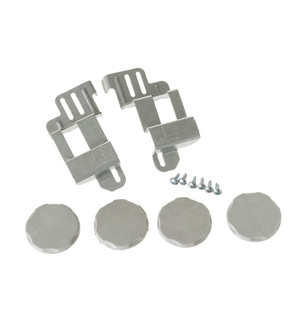
Specifications for GE24STACK with owner checks for this product design. Use the matching manual for control sequences and replacement parts.
Specifications & model details
GE24STACK: model-specific checks
Start with the source identity
GE GE24STACK is the exact code in this catalog record. This topic should be evaluated for that code and dryers category. The original source record is linked below; unrecorded settings, dates and compatibility remain unknown.
Trace a completely unresponsive dryer through its ordinary controls and household supply without opening the appliance.
Owner guide: No power & starting
Category & symptom guidance
No power & starting
3 minute read · Shared guidance for clothes dryers
First establish what “no power” means
Check whether the display is blank, illuminated but unresponsive, or able to select a cycle but unable to start. Note whether the drum light or end-of-cycle display responds, if your model has those features. A blank display suggests a different path from a lit panel that ignores Start. Avoid treating an app notification or remote-start state as proof that household power is present.
Look for recent changes: a power interruption, moved plug, breaker trip, installation, or control setting. These clues can narrow the cause before any reset or support call.
Check the household supply at the owner level
For an electric dryer, the outlet and branch circuit supply substantial power; a tripped breaker can leave a dryer unavailable. From the electrical panel exterior, check whether the labeled dryer breaker is visibly tripped and reset it only as permitted by household rules. If it trips again, leave it off and seek an electrician. Do not remove an outlet cover or probe wiring.
A gas dryer still needs electrical power for its controls and drum, while gas supplies heat. Its plug and circuit requirements differ from an electric model. Inspect only the visible cord and plug for displacement or damage; do not handle a hot, damaged, or sparking connection.
Check closure and controls
Open and close the door firmly, then check that clothing is not trapped where it prevents closure. Select a cycle and observe whether the interface acknowledges the selection. If the panel is lit but no cycle begins, look for a control lock or remote-start state only if your exact model provides it. Use the model’s labeled control guidance; button sequences are not universal.
Some LG examples list a Control Lock option, but that does not establish the same option or release method on every dryer. The owner manual for the complete model identifier is the authority for what the display means and which owner action applies.
Try one controlled power reset
If there is no damage, odor, or repeated breaker trip, switch the dryer off and disconnect power only by a readily accessible, undamaged plug; leave it disconnected briefly while checking the exact manual’s reset advice. Reconnect once and observe the display. Do not pull a heavy or stacked dryer forward to reach a plug, and do not touch exposed conductors.
If the control remains blank, or power returns and immediately drops out, record what happened and stop cycling the breaker. A repeated loss points beyond routine owner checks.
Choose the right support route
If the outlet appears powered but the dryer stays blank, or a breaker will not remain set, the next step is electrical or manufacturer diagnosis rather than cabinet access. Tell support whether the unit is gas or electric, whether the panel lights, and what the breaker did. For a recent installation, compare the appliance’s electrical requirements with the installation paperwork through the installer or electrician.
Have the model identifier and a brief timeline ready. This avoids assuming that a display failure, supply problem, or door condition has the same fix across dryer families.
What to do with what you find
Breaker trips again after one reset.
A persistent circuit fault or overload may exist.
Leave it off and contact an electrician; do not keep resetting it.
Panel is lit but Start is ignored.
The problem may involve a control state, closure, or cycle condition rather than total power loss.
Check exact-model lock and start guidance, then document the response.
Have these details ready
Model and gas/electric type
Display and drum-light response
Breaker behavior
Recent move, outage, or installation details
Common questions
Does a gas dryer work during a power outage?
Generally no; its controls and drum still require electricity.
Can I test the outlet by opening it?
No. Have an electrician check the receptacle and circuit.
General background sources
These sources support the shared guide. Exact model specifications and matched family procedures have their own sources above.
Explicit product_first_distribution_date in exact OEM primary SKU record; not a manufacturing year or import date. Primary source: https://www.geappliances.com/appliance/GE-Washer-Dryer-24-Stack-Bracket-Kit-GE24STACK