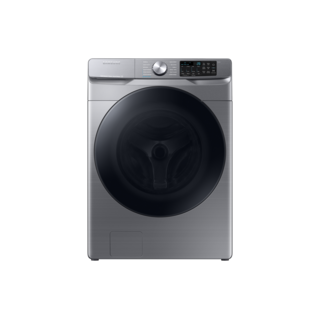
Guidance for Samsung washing machines. Check the feature and control descriptions against your model.
Specifications & model details
WF45B6300AP/US: model-specific checks
Keep the full variant in the request
Use WF45B6300AP/US in the Samsung support request. The suffix is part of the source identity; it should remain visible when selecting documents, software or parts. A matching base code alone does not establish all regional and production details.
Choose the right document for the task, confirm its model coverage and revision, and use warnings and model qualifiers to guide owner decisions.
Owner guide: Find and use washer manuals
Category & symptom guidance
Find and use washer manuals
3 minute read · Shared guidance for washing machines
Choose the document for the question
An owner’s manual explains operation, care, laundry handling, and some troubleshooting. Installation instructions cover location, transport materials, hookups, leveling, and an initial check. A specification sheet summarizes selected dimensions and ratings. If a question concerns installation, do not rely only on a retailer’s quick reference or an owner manual’s brief overview.
Use manufacturer support or the paperwork supplied with the washer to locate documents. Search by the complete model number, then confirm the document’s title and model coverage. A document that covers an exact family may still include options limited to some models; look for those qualifiers before expecting a feature or following a procedure.
Check that the manual fits your washer
Compare the model printed on the appliance label with the model names or family coverage in the document. Pay attention to suffixes and revisions. Similar controls or cabinet styling do not prove that a procedure applies. If the document’s coverage is vague, ask manufacturer support to confirm the match before using a model-specific setting, measurement, part reference, or hookup instruction.
As a clearly named example, the LG WM4000H*A manual identifies that family and includes front-load installation and operating details. It is not a general LG washer manual. GE’s PTWN6250M owner manual is also specific to the named product family, even where it describes familiar top-load behavior.
Read warnings and conditional features
Warnings are practical boundaries: they identify conditions that can cause injury, damage, leaks, or unsafe operation. Read the steps around a warning, not just the heading. Pay particular attention to limits on household supply conditions, transport restraints, prohibited modifications, and situations that call for qualified service.
A statement such as “on some models” means the feature is not universal. Check the controls or product feature list for the exact washer before following that option’s directions. Do not borrow button sequences, numerical limits, or parts from an example manual. A front-load washer and a top-load washer may differ in loading, drain access, sensing, and control behavior.
Keep documents useful over time
Save a digital copy with the appliance paperwork and note which model it covers. Keep installation instructions accessible for a future move, service appointment, or hose replacement. If you download a newer document, compare its stated model coverage and date rather than assuming newer always means applicable to every revision.
When a manual does not answer the question, use its manufacturer support route and give the model and serial information requested. For fitment or safety questions, seek an explicit manufacturer answer. A search result, video, or forum post may describe another revision and should not override the product’s current official instructions.
Use the table of contents to narrow a question
Once you have a matching manual, use its contents or search terms to find the whole topic, then read the surrounding pages. A troubleshooting entry may point to a separate maintenance procedure, safety note, or installation requirement that changes what is appropriate for an owner to do. For a question about a displayed message, search both the exact wording and the troubleshooting heading; for a setup question, check installation as well as operation.
If the document is a scan and text search misses a term, browse the index or contents and inspect the likely page visually. Confirm that a result belongs to your model’s section, especially when a manual covers a family. A useful answer should describe the condition you actually see and the action you can safely take. If it only names a possible cause, keep looking for the prescribed owner check or service direction.
What to do with what you find
The document’s stated model coverage matches the washer and the relevant section addresses the task.
It is an appropriate source for the next owner check.
Follow the instructions and their warnings in context.
The document is for a similar model or marks the feature as available only on some models.
The procedure or feature may not apply.
Confirm coverage and feature availability with the exact manual or manufacturer support.
Have these details ready
Exact model number and document coverage
Relevant warning and model-feature qualifiers
Common questions
Which document should I use to check drain hookup?
Use the exact model’s installation instructions, supplemented by its owner manual where needed.
Can a manual for the same brand be treated as compatible?
No. Confirm exact model or family coverage and check any ‘some models’ qualifications.
General background sources
These sources support the shared guide. Exact model specifications and matched family procedures have their own sources above.