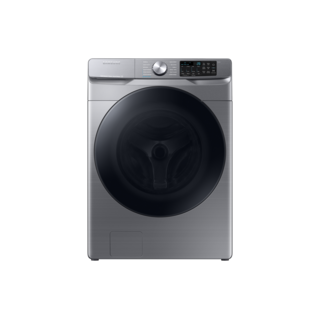
Samsung’s guide notes Child Lock may lock the door on some front-load washers, while water detected in the washer can also keep the door locked. Record the indicator and whether water remains. Do not force the door or use an emergency drain method unless the exact manual identifies it and its conditions are met. A locked control panel and a physically locked door are separate states.
Use WF45B6300AP/US in the Samsung support request. The suffix is part of the source identity; it should remain visible when selecting documents, software or parts. A matching base code alone does not establish all regional and production details.
Control lock can prevent panel changes, while a door or lid lock can separately prevent access during a cycle. Identify which lock is active and use only the exact model’s documented controls and release conditions.
Owner guide: Control lock & access
Category & symptom guidance
Control lock & access
4 minute read · Shared guidance for washing machines
Tell panel lock from door lock
A control lock disables some or all panel inputs to prevent accidental changes; it does not necessarily mean the washer door or lid is locked. A door or lid lock is a separate condition that can keep the laundry compartment closed during operation. Look for a lock symbol, indicator, or display message and compare it with the symbols in the owner instructions before deciding what is preventing access.
If the panel ignores button presses, check whether a control-lock indicator is lit. If the panel responds but the door or lid will not open, the washer may still be operating, draining, or waiting for a safe release condition. Do not pull the handle, pry the door, or use a generic button combination found for another brand.
Read the indicator or message and identify whether it names panel control lock or door/lid lock.
Check the matching section of the exact washer’s owner instructions before attempting to change the lock state.
Use the documented control-lock method
Control-lock activation and release vary: the control may use a labeled key, a press-and-hold action, or a menu, and availability can depend on the washer configuration. the manufacturer instructions for the named examples do not establish one universal sequence for washers. Locate the lock symbol or named control in the manual for the exact model and follow its stated action, including any indicator that confirms the setting changed.
Avoid trial-and-error combinations. They can change cycle settings or invoke a feature unrelated to locking, and an attempted unlock may appear ineffective if the panel is still in a cycle state that does not accept input. If the model documentation is not available, use the brand’s support page keyed to the model rather than guessing.
Match the printed key or lock symbol to the exact model’s documented procedure.
Perform the specified action once and verify that the lock indicator changes before selecting other settings.
If the door or lid remains locked
A locked door may be intentional while the drum moves, water remains, or a cycle has not reached a release point. Use the washer’s pause or cancel instructions and wait for the machine to stop and indicate that access is allowed. If water is visible in the drum, do not force the door; use only a documented drain or recovery option. Top-load lid behavior and front-load door behavior are design-specific, so instructions for one style should not be assumed to fit the other.
The GE PTWN6250M manual says raising its lid stops filling, agitation, and spin, but does not pause the cycle; that detail applies to that model and is not a general lid-release procedure. If the lock persists after the documented cycle-end or drain conditions are met, treat it as a fault and consult exact-model troubleshooting.
Wait for motion to stop and check for remaining water or an active-cycle message.
Follow the exact model’s pause, drain, and access instructions; do not force the door or lid.
Households, children, and shared use
Control lock is useful where a household wants to reduce accidental panel changes, but it is not a childproof barrier to opening the washer or interacting with the appliance. Keep laundry products and the washer area managed according to the owner instructions, and supervise children around the machine. If several people use the washer, agree on who may change or cancel an active cycle so a lock is not mistaken for a fault.
Before enabling a lock, consider whether another user may need to pause the cycle or respond to an alert. Explain how the exact model indicates lock status and how an authorized user can release it. If the washer has separate child-related or remote-control features, do not assume they are included in ordinary control lock; verify each named function in the model’s documentation.
Show household users the lock indicator and the model-specific release action.
Keep supervision and product storage practices in place even when panel lock is enabled.
What to do with what you find
The panel is unresponsive and a control-lock indicator is shown.
Panel inputs may be intentionally disabled.
Use the exact model’s documented unlock action and confirm the indicator changes.
The panel works but the door or lid remains locked while water or motion is present.
The access lock may be responding to the active cycle state.
Wait for the documented stop and drain conditions; do not force access.
Have these details ready
Exact model and top-load or front-load design
Lock symbol, indicator, or displayed message
Whether the panel responds to any controls
Cycle state, drum movement, and visible water status
Exact-model instructions for control lock and access release
Common questions
Does control lock keep children from opening the washer?
Not necessarily. Panel lock and door or lid lock are different functions; continue supervising children and follow the appliance’s safety guidance.
Can I use an unlock sequence from a different washer model?
No. Control combinations and lock behavior vary. Find the procedure for the exact model and its control panel.
General background sources
These sources support the shared guide. Exact model specifications and matched family procedures have their own sources above.