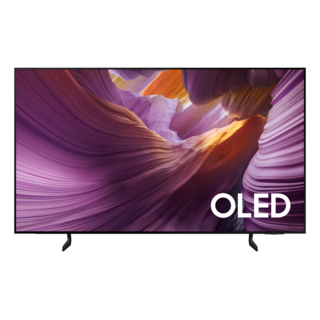
Guidance for Samsung televisions. Check the feature and control descriptions against your model.
Specifications & model details
QN77S85FAE: model-specific checks
Use both product and source names
Samsung QN77S85FAE is listed under ENERGY STAR partner Samsung Electronics Co., Ltd.. Search support by the retail brand and full product code. The partner name helps distinguish the certification record from a similarly named product; it is not a declaration of the current warranty provider.
Find the full model code and suffix on the label or settings screen before looking up manuals, parts, or support.
Owner guide: Model number & identification
Category & symptom guidance
Model number & identification
3 minute read · Shared guidance for televisions
Find the TV’s own identity
A television’s bezel name or product family is not its full identity. Find the model label using the manufacturer’s location guide, commonly on the rear cabinet or in the system information screen where available. Copy the complete code, including letters, digits, punctuation, and suffix; write the serial separately. Do not pull the set from a wall mount merely to see a label if it can be reached through a supported menu or a safe accessible edge. A photograph preserves small characters and helps support staff match the correct remote, panel document, software, or market variant.
Use the region and suffix
The same series name can cover different screen sizes, regional tuners, stands, ports, or platform generations. Use the full code in the manufacturer support search and check that the resulting page describes the right size and market. A family manual is a useful starting point only if the document lists the code or series. This matters when a feature is described as “available on select models”: do not assume that a nearby code has the same panel, HDMI capability, tuner, or software feature.
Separate hardware identity from software
Write down the software or platform version separately from the model number. A firmware page can be limited by model, region, and production revision; a platform name such as Google TV, Roku TV, webOS, or Tizen does not identify the exact television. If a menu instruction or update file does not match the label, stop and search again rather than trying the closest-looking device. Store the receipt or proof of purchase with the label photo because serial and purchase date may be needed for support or warranty lookup.
When the label is inaccessible
If the label is covered by a wall mount, use the system information page only if the TV manual says where it is and how to open it. Do not loosen mount screws or tilt a large screen alone. If the on-screen code omits a suffix, ask the manufacturer which code its support system needs and whether the full identifier appears on the rear label. Provide the screen size and a photo of the rear label only if safely accessible. A retailer receipt can help identify the sold product, but it should not replace the appliance’s own label for parts or firmware selection.
Preserve a useful setup baseline
Keep one clean record containing the label photograph, serial, market suffix, purchase proof, and installed software version. This prevents a common mismatch where a support search opens a family page and the owner later orders a remote or loads firmware for a neighboring size. If the set was sold as part of a retailer bundle, note the TV code separately from a soundbar or streaming box code. Each connected product has its own support and warranty identity. If the on-screen system menu shows a shortened value, save both that screen and the chassis label. Tell support which characters are physically printed and which were shown digitally, since serial-range lookup may use the longer identifier.
General background sources
These sources support the shared guide. Exact model specifications and matched family procedures have their own sources above.