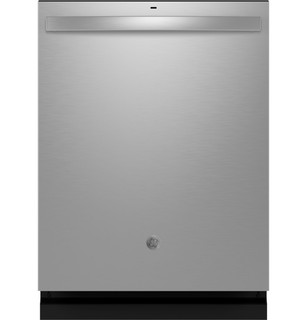
Both listed GDT650 product records include Upper Only and Lower Only Wash Zones. GE says the selected zone directs washing to one rack and can shorten the cycle; use it only when dishes are placed in the selected rack. Wash Temp Boost is for heavier soil, while the Sani/Steam option raises final-rinse temperature and may extend cycle time. Record the selected cycle and options together when comparing results. The option chart contains variants, so follow the pads on the exact control panel.
GE GDT650SYVFS is the exact code in this catalog record. This topic should be evaluated for that code and dishwashers category. The original source record is linked below; unrecorded settings, dates and compatibility remain unknown.
Read the panel, select only options that match the load, and resolve common control-state confusion without guessing at button combinations.
Owner guide: Controls & settings
Category & symptom guidance
Controls & settings
4 minute read · Shared guidance for dishwashers
Read the panel as a sequence
Many dishwashers separate the wash program from options such as temperature, drying, delay, or a partial-rack selection. Choose the program that matches soil and dish type first, then add only options that address a need. Indicator lights can show the selected setting, but their meaning and display behavior vary by model. Use the labels on the panel and the matching manual illustration rather than assuming a nearby machine uses the same layout.
Some controls allow a program to be selected while the door is open but begin only after Start and door closure. The GE shared manual describes that behavior for the models it covers, including a four-second close interval; treat it as an example, not a universal rule. If the cycle does not start, check the panel’s status light and the exact start procedure.
Match the panel layout and control labels to the model documentation.
Select one suitable program, then add needed options.
Confirm the door is fully latched and observe the status indicator.
When the controls seem locked
A control lock can prevent accidental pad presses, but the way to engage or release it differs. Look for a lock symbol or indicator and find the exact unlocking instruction in the manual. Do not try random combinations: holding the wrong pads can select another option or cancel a cycle on some panels.
The GE shared manual illustrates why exact identification matters: some GE Series panels use a specified pair of pads held together, while the Profile examples describe app-based locking with a Start-pad release method. Those instructions apply only to the identified series covered by that manual. If the display is dark, confirm the door position and household power status using ordinary external controls; do not remove the control panel.
Delay and interrupted cycles
A delay setting schedules a later start; it is not the same as pausing a running wash. Verify that a delay indicator is lit before leaving the kitchen, especially if you intended an immediate wash. The GE manual excerpt describes selecting a delay and then starting a countdown, but the available range and confirmation steps depend on the model.
Opening the door during a cycle commonly pauses washing, but the restart action differs across controls. Check the indicator before pressing Start again so you do not accidentally initiate cancellation. If a cycle must be stopped, use the cancellation procedure in the manual and allow the machine to complete any stated drain action.
Connected features and app controls
Wi-Fi and app control are available only on certain dishwashers. Check the model’s official support page or documentation for a connectivity feature before trying to pair it. If supported, use the named manufacturer app and its current in-app setup flow; a generic network reset or an online button sequence may not apply to your appliance.
If pairing fails, note what the app reports, whether the dishwasher is already associated with another account, and whether the home network meets the app’s stated requirements. Do not infer that a machine has remote start, notifications, or expanded programs simply because another model in the same product family offers them.
Match settings to the real load
Options affect time, energy, and cleaning conditions. A hotter wash or sanitizing option may extend the program, while a stronger dry option can add time or use more energy. A half-load or zone feature should be used only when the machine provides it and the dishes occupy the specified rack. Selecting several options together may produce a longer run than the basic cycle display suggests.
If buttons do not respond, check whether the lock indicator is on, whether the machine is mid-cycle, and whether the selected program permits that option. Some options cannot be changed once the wash is underway. The manual’s option table is more useful than repeatedly tapping controls because it explains both availability and the effect of each choice.
What to do with what you find
A lock indicator is illuminated and pads do not change the selection.
The controls may be intentionally locked.
Use the unlock procedure for the exact model and series.
A selected option cannot be changed during the wash.
That option may be fixed once the cycle reaches its current phase.
Allow the cycle to finish or cancel using the documented procedure, then choose settings before starting next time.
Have these details ready
Exact model and panel layout
Illuminated indicators or displayed message
Actions immediately before the control stopped responding
Common questions
Can I use instructions for a similar brand’s lock controls?
No. Lock controls vary by model and series; use the instructions matching your panel.
Why did the cycle not begin after I selected it?
The door may not have latched, a delay may be selected, or the model may require a specific Start sequence. Check the status indicator and model instructions.
General background sources
These sources support the shared guide. Exact model specifications and matched family procedures have their own sources above.