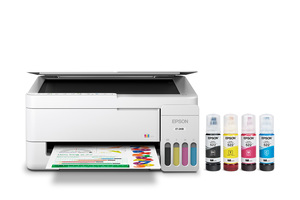
Guidance for Epson printers & imaging. Check the feature and control descriptions against your model.
Specifications & model details
C11CL62202: model-specific checks
Use both product and source names
Epson C11CL62202 is listed under ENERGY STAR partner Epson America, Inc.. Search support by the retail brand and full product code. The partner name helps distinguish the certification record from a similarly named product; it is not a declaration of the current warranty provider.
Search official safety notices by model and serial, then follow the manufacturer’s stated remedy.
Owner guide: Recalls & safety notices
Category & symptom guidance
Recalls & safety notices
3 minute read · Shared guidance for printers & imaging
Search official recall sources using exact model details
Check the CPSC recall database and the printer manufacturer’s safety-notice page using the complete model code and serial range. Confirm the product image, date range, hazard, and named remedy. “Printer” results can include label printers, large-format equipment, or non-printer accessories; verify the notice is actually about your device.
CPSC records can be updated as remedies change. Save the notice and the date checked, and contact the company named in the notice if the label is worn or the serial match is unclear.
Follow the notice instead of ordinary troubleshooting
A recall can require immediate stop-use, unplugging, repair, replacement, or refund. Follow the exact public notice. Do not continue printing to reproduce a hazard, open a power supply, or substitute a part. Use the contact channel listed by CPSC or the manufacturer and keep the case number.
Do not confuse a firmware update or service bulletin with a recall. If the notice does not match your full model and serial, continue through normal support but do not make a claim that the printer is universally unaffected.
Handle ink and toner safely during a remedy
If the recall instructs return or disposal, ask whether supplies must be removed or left installed. Ink, toner, and imaging units have separate handling directions. Do not ship a leaking supply or loose toner without the manufacturer’s packaging instructions. Retain the product label and recall correspondence until the remedy is complete.
If the printer is part of an office fleet, check every affected serial and record which units received repair. Do not rely on the model family alone if the notice specifies production dates or serials.
Report a safety event with factual records
If a printer smokes, sparks, overheats, or causes injury, stop use and contact the manufacturer. CPSC accepts reports through its official unsafe-product reporting process. Record the exact model, serial, purchase source, event sequence, photographs, and any damage. Do not recreate an electrical event or open the device for a clearer photograph.
A report gives regulators information; it does not itself establish that a recall exists. Keep your report confirmation and follow any instructions from the company or CPSC.
Check notices when acquiring or transferring a used unit
When buying a used printer, search official safety notices before installing it. Compare the model and serial on the physical label; a seller’s listing may have copied the wrong code. If the device is part of a fleet, make a serial-level record so a safety notice can be checked across all locations. Recheck the official database when a manufacturer sends a new alert.
Do not sell a recalled printer before the official remedy is complete. Tell the company the unit’s current location and ask whether an exchange or repair is required.
A recall remedy may require proof that the affected unit was repaired before the printer can be reused. Keep the repair label or service order with the serial record. If the printer is in a school or workplace, notify the asset owner and prevent further use while the remedy is pending.
General background sources
These sources support the shared guide. Exact model specifications and matched family procedures have their own sources above.
Certification dataset declaration; check manufacturer installation documents for fit and clearances.
Observed Oct 30, 2026
Check the official recall record
Search both the complete model and any model range in the notice. Compare serial numbers, date codes, and country coverage. This site does not claim a complete recall check or a recall-free status for C11CL62202.