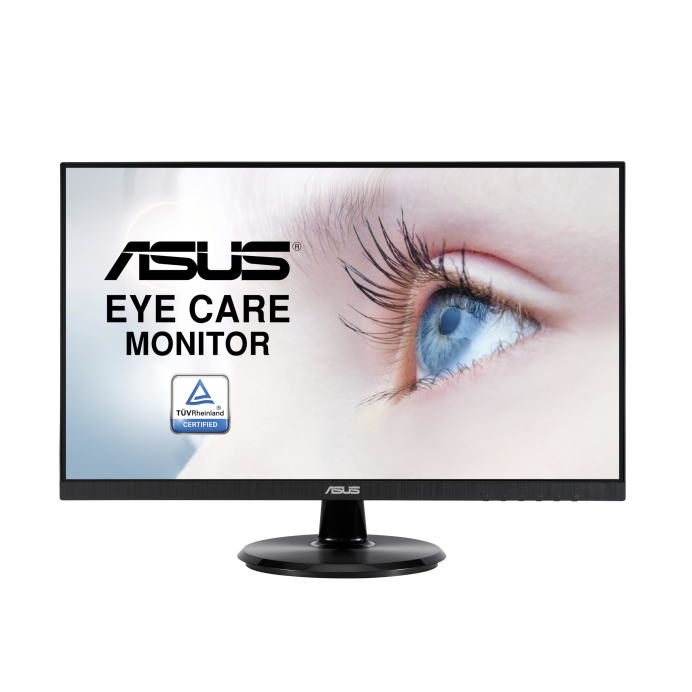
Specifications for VA27DCP with owner checks for this product design. Use the matching manual for control sequences and replacement parts.
Specifications & model details
VA27DCP: model-specific checks
What this model’s energy figure means
ASUS VA27DCP is listed at 45.39 kWh/year. Using an illustrative $0.20/kWh, that is $9.08 per year, or $0.76 per month, on the source’s annual test basis. For your rate, multiply 45.39 by your electricity price per kWh. Compare labels from the same test method; age, actual use, water heating and load choices can change the household result.
Compare the diagnosed repair with a replacement that fits the workstation’s resolution, color, ports, and mount.
Owner guide: Repair or replace?
Category & symptom guidance
Repair or replace?
3 minute read · Shared guidance for monitors & displays
Start with the monitor’s role in your workstation
List what the display does: office documents, color-critical work, coding, gaming, conferencing, or a docked laptop station. Identify which feature is essential: resolution, refresh, color gamut, USB-C charging, hub, stand adjustment, or multiple inputs. A repair that restores a panel may not solve a missing feature that already limits the workstation; a new monitor may add capability but require a dock or new cable.
Confirm the diagnosed fault before deciding. A cable or host output issue is different from a panel or power failure. Use a self-test and direct connection to separate those paths.
Compare total repair and replacement costs
For repair, add the diagnostic fee, labor, part, shipping, calibration, and expected downtime. Ask what warranty applies to the work and whether the fault could recur. For replacement, include delivery, arm or stand, adapter, dock, color calibration, and disposal. Verify the new monitor fits the current VESA mount and has the ports the workstation needs.
Compare equivalent features rather than diagonals alone. A lower-priced display may lack the refresh, color, or USB-C power needed, making it a poor substitute. There is no fixed age or cost threshold that applies to all monitors.
Consider calibration and workflow continuity
A replacement can change color output and require new calibration. If the monitor is used for design, photography, or print proofing, check whether existing profiles and calibration tools support the candidate. A repaired monitor may preserve the current setup, but a panel replacement can alter uniformity or require recalibration; ask the service provider what tests are included.
For office work, compare text scaling, stand range, and port convenience. For gaming, check supported refresh and adaptive sync with the graphics card. Keep the work requirement tied to documented specifications, not marketing series names.
Check warranty, service, and downtime
If the monitor remains under warranty, use the manufacturer’s process and confirm whether shipping or an on-site visit is covered. A replacement may have a new warranty start date or a different duration; check the written terms. If downtime matters, ask the repair provider for parts availability and expected turnaround before deciding.
Keep the original monitor until any replacement claim is resolved. If a safety issue, cracked panel, or damaged adapter is involved, follow the manufacturer’s instructions and do not pass the unit to another user without disclosing the problem.
Account for color and ergonomic changes
A new monitor can have a different stand range, pixel density, coating, or color gamut even if its diagonal is unchanged. Check whether the viewing height and text scaling remain comfortable. If your work depends on calibrated color, account for the cost and time to profile a replacement and verify that your applications use the correct display profile. For a dual-monitor desk, mismatched brightness or gamut can affect comparison work; consider whether one or both screens need replacement.
Check mount and software compatibility before switching
If replacing one screen in a multi-monitor desk, compare stand height, panel coating, pixel density, and available color modes with the remaining display. Check that the graphics system can drive both at their intended resolutions and refresh rates. A replacement may require a different arm plate or cable. Save the current layout so you can restore window positions and display profiles after setup.
General background sources
These sources support the shared guide. Exact model specifications and matched family procedures have their own sources above.
Certification dataset declaration; check manufacturer installation documents for fit and clearances.
Observed Oct 31, 2026
A comparison group built from recorded designs
ASUS lcd displays
124 records in this manufacturer/public-source group. The group uses the brand, category and recorded design, rather than a guessed series or production year.
14.0–49.0 inscreen size · 123 source values
15.42–254.18 kWh/yearannual energy · 117 source values
These are source-record ranges. They do not establish current availability, a shared repair platform or installation compatibility.