What is recorded for WD90F53AVYUS
Samsung WD90F53AVYUS — Electrical: 240 V / 60 Hz.
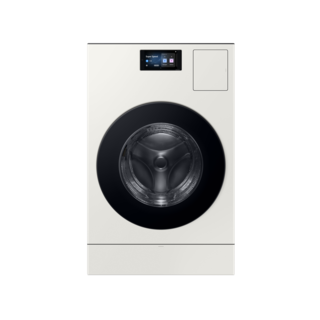
Samsung WD90F53AVYUS
Washing machine · US market · 48 owner topics
Guidance for Samsung washing machines. Check the feature and control descriptions against your model.
Specifications & model details
Samsung WD90F53AVYUS — Electrical: 240 V / 60 Hz.
When the panel lights but the cycle does not begin, check the selection, door or lid closure, pause state, and any lock indicator using the washer’s own controls.
Category & symptom guidance
Identify whether the washer shows a selected cycle, a pause message, a lock symbol, or an error. If the display is blank, use the no-power checks instead. If it is lit, repeated pressing can change selections or cancel a cycle, so first note the current state.
Some washers spend time sensing before obvious movement or water appears. A quiet pause at startup can be part of normal operation, particularly on sensing designs. Wait for the behavior described by the exact model rather than assuming the washer failed to start after a few seconds.
Check that the washer door or lid is fully closed and that laundry is not caught in a front-loader door seal or protruding over a top-loader rim. Select a valid cycle and options, then use the normal Start control once. On a top-loader, an open lid may prevent filling or agitation; on a front-loader, the door must be latched before operation.
The GE PTWN6250M manual states that its lid must be closed for filling and starting. This is a specific example, not a universal control sequence. Some washers have different start buttons, delayed-start settings, or door-lock indicators.
Look for a delay-start selection, a paused-cycle indicator, or a control-lock symbol. Use only the labeled control or the exact model’s owner instructions to change that state. If a control lock is active, the manual should identify the release method; do not try combinations from another washer or a generic web video.
If the cycle was paused, use the documented resume action. Some top-load models stop when the lid is raised but continue the timer; others show a distinct pause state. The GE example’s owner manual describes its Start control and lid behavior, but those details must not be transferred to other designs.
If the display indicates a closed door or lid but the washer repeatedly will not proceed, note whether it locks, clicks, fills, or shows a code. A click without a cycle may indicate an unresolved start condition, but it does not identify a failed part by itself. Check visible closure and selection once, then follow the fault-specific instructions for the model.
Stop if the door or lid is damaged, the washer leaks, or the controls behave erratically. If the same symptom returns on an ordinary cycle after documented checks, contact support with the displayed state and the precise point where progress stops.
A dryer with power may be waiting because a delayed-start option is selected. Look at the display for a delay indicator or a future start time before changing settings. If the panel shows a delay, cancel or change it only using the exact model’s labeled controls and instructions; pressing Start repeatedly may leave the selection unchanged or alter another setting.
After clearing a documented delay, select a simple cycle and make one start attempt. If no delay is shown, do not assume this is the cause: return to the door, control-lock, and cycle checks. A remote-start feature may also affect which local action is required on some models, so use the status shown on the dryer and its matching guide. If the display acknowledges the selection but the drum does not begin, stop and contact support rather than bypassing a door or control.
A selected control state may be holding the cycle.
The washer may be waiting for its closure condition.
A persistent control or latch issue may need diagnosis.
Not always. Some sensing washers pause before filling or moving. Check the exact model’s startup description and whether a status message is displayed.
Use the labeled lock control or the exact owner manual’s instructions. Release methods vary, so avoid guessed button combinations.
These sources support the shared guide. Exact model specifications and matched family procedures have their own sources above.
Owner guidance by Specs & Parts, drafted with GPT-6 Luna. Sources and scope.