What is recorded for QN55S85DAE
Samsung QN55S85DAE — Product type: Television (TV).
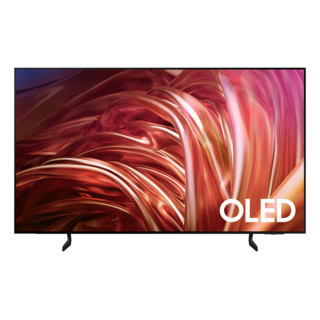
Samsung QN55S85DAE
Television · US market · 39 owner topics
Guidance for Samsung televisions. Check the feature and control descriptions against your model.
Specifications & model details
Samsung QN55S85DAE — Product type: Television (TV).
Protect the panel in supported packaging, store it dry and upright as specified, and let it acclimate before reconnecting power.
Category & symptom guidance
A flat-panel television is vulnerable to bending and pressure during storage. Use the original carton and formed packing pieces when available because they support the panel and keep accessories from pressing against it. If the carton is missing, obtain packaging intended for a television of similar size and have two people handle a large set. Follow the manufacturer’s transport instructions for orientation; do not assume that a panel safe to hang vertically can be laid face-down in a vehicle.
Disconnect external devices, label the cables at both ends, and place the remote and small accessories in a separate bag so they cannot strike the screen. Coil cables loosely rather than wrapping them tightly around the stand or neck of the plug. Keep screws and stand pieces in a marked container. Photograph the cable connections before removal if the setup has several HDMI sources, a sound system, or an antenna.
Store the packaged set in a clean, dry indoor location away from direct sunlight, leaks, condensation, and extreme heat or cold. Do not place heavy boxes on top of the carton, even if it looks rigid. Keep it away from damp basements, unheated sheds, and areas where temperature changes can produce condensation on electronics. Manufacturer manuals commonly specify operating and storage environmental limits; check the exact manual before a long storage period or an unusual climate.
Keep the carton upright and secure it so it cannot tip. Do not stack it against a radiator or block a room’s exit. If storage must occur in a vehicle or shipping environment, follow the packaging and temperature guidance for the specific model rather than improvising based on the carton dimensions.
After moving a TV from a cold or hot environment, leave it packaged until it reaches the indoor room temperature and any condensation risk has passed. Do not connect power immediately when the cabinet feels cold or damp. Once acclimated, unpack the set with help, inspect the panel and corners under good lighting, and compare the contents with the manual before mounting. A crack or pressure mark may become more visible only when the display is on, so test it on a stable surface before reinstalling it overhead.
If the panel has visible damage, do not continue setup. Photograph the carton, its labels, protective pieces, and the damage, then contact the seller or carrier promptly. Keep packaging until the condition is resolved if a return or transit claim may be needed.
Storage can erase assumptions about which cable went where. Recheck the stand or mount hardware against the model’s instructions; do not substitute screws based only on diameter or apparent fit. Confirm that the wall bracket is rated for the television’s size and load and that the mounting pattern matches. Use the specified spacers and screw lengths. A screw that bottoms out too soon or reaches too far can fail to secure the TV or damage its chassis.
When the TV is powered again, restore the network and input labels, then test each external source separately. If there is no picture from one source, switch to the TV home screen or another input before changing system settings. This establishes whether the problem follows one cable/device or the display itself. Update date/time and app sign-ins as needed only after the basic picture and sound check.
These sources support the shared guide. Exact model specifications and matched family procedures have their own sources above.
Owner guidance by Specs & Parts, drafted with GPT-6 Luna. Sources and scope.
Recorded model facts
| Specification | Recorded value | Evidence |
|---|---|---|
| Automatic brightness control | Yes | CertificationENERGY STAR — Televisions televisions.csv; row 131; ENERGY STAR ID 3462883 Certification dataset declaration; check manufacturer installation documents for fit and clearances. Observed Oct 31, 2026 |
| Product type | Television (TV) | CertificationENERGY STAR — Televisions televisions.csv; row 131; ENERGY STAR ID 3462883 Certification dataset declaration; check manufacturer installation documents for fit and clearances. Observed Oct 31, 2026 |