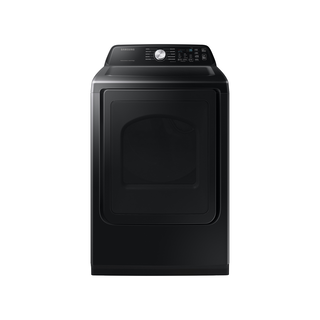
Guidance for Samsung clothes dryers. Check the feature and control descriptions against your model.
Specifications & model details
DVG47CG3500VA3: model-specific checks
Start with the source identity
Samsung DVG47CG3500VA3 is the exact code in this catalog record. This topic should be evaluated for that code and dryers category. The original source record is linked below; unrecorded settings, dates and compatibility remain unknown.
Identify whether the panel is locked, whether remote operation is involved, and what access is appropriate for your dryer’s controls.
Owner guide: Control lock & access
Category & symptom guidance
Control lock & access
4 minute read · Shared guidance for clothes dryers
Recognize a locked panel
A control-lock feature prevents accidental changes while the dryer is running or when children can reach the controls. Depending on the design, it may disable most touch buttons while leaving a display or power control active. A panel that appears unresponsive can therefore be operating as intended; it does not by itself show that the control board has failed.
Look for a lock symbol, a status message, or an indicator that appeared after a button was held or a cycle was started. If the panel is blank, the door will not open, or the dryer is still tumbling, those are separate symptoms. Do not force the door or repeatedly press unrelated controls to regain access.
Unlock using the panel’s own instructions
Use the control panel labeling or the owner instructions for the exact model to find the unlock action. Panels differ: a control-lock button may be labeled directly, or the instructions may identify a particular control to press and hold. Do not copy a button combination from another dryer or assume that a familiar brand uses the same sequence across generations.
If the model is an LG DLEX4000/DLGX4001 family dryer, its specification sheet lists Child Lock among its features, but that listing alone does not define a universal action for other models. Confirm the full model suffix and consult its instructions for the control sequence. When unlocked, choose the cycle and settings again if the previous selection was cleared.
Read the panel labels and the exact model’s instructions before attempting an unlock.
Try the stated unlock action once, then verify that cycle selection responds normally.
When the door or load is inaccessible
A control lock ordinarily concerns the buttons, not a mechanical door latch. If a cycle is running, stop it with the normal control and wait for the drum to stop before reaching inside. If the door remains stuck after the cycle ends, the display shows a fault, or the drum continues moving, treat that as a separate access problem and follow the model’s instructions or seek service.
Do not pry the door, defeat a latch, remove a top or front panel, or reach into a moving drum. If a child or pet is inside, act urgently: use the normal stop control if reachable and contact emergency services if immediate safe release is not possible.
Distinguish local lock from remote-start status
Wi-Fi and remote-start functions can affect whether an app can begin or monitor a cycle, but they are not the same as a locally locked panel. If the panel works while the app cannot start a load, check the app’s connection and whether the appliance is in a state that permits remote start. If the panel itself rejects input and shows a lock indicator, address the lock locally first.
Do not leave a dryer remotely available if people in the home may load it or change its state without knowing it can start. Use the product’s remote-start control as described for the exact model, and verify that the drum is empty and the door is closed before enabling remote operation.
Determine whether service is warranted
If the lock indicator will not clear after the documented unlock action, note whether some controls still respond and whether the issue began during a cycle or after a power interruption. A recurring lock indication with no button response may justify service; an isolated failed attempt may simply mean the wrong control sequence was used.
Provide the model identifier, the exact indicator, and what happened when you followed the instructions. This keeps the diagnosis focused on the access symptom rather than a general complaint that the dryer will not start.
What to do with what you find
Lock indicator is visible and the documented unlock action restores control response.
The panel was in its intended control-lock state.
Select the desired cycle again and confirm settings before starting.
Panel stays unresponsive or the door remains mechanically stuck after the cycle ends.
This is not resolved by the lock function alone.
Stop forcing access and seek model-specific service guidance.
Have these details ready
Full model identifier and panel photo or lock symbol.
Whether controls respond and whether the cycle is active.
Unlock action attempted from exact-model instructions and result.
Common questions
Does control lock mean the door is locked?
Usually it refers to the controls. A door that will not open after a cycle is a separate issue; do not pry it.
Can I use an online button sequence from a similar dryer?
Use the instructions for the exact model. Control layouts and lock actions can differ even within one brand.
General background sources
These sources support the shared guide. Exact model specifications and matched family procedures have their own sources above.