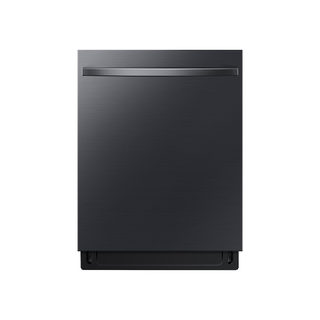
Samsung dishwasher control charts show a Lock function on some DW80CG/CB panels and label its hold duration, but other Samsung panels may differ. Check the exact model chart before using a control combination. A control lock affects button input; it does not prove a door latch fault. If the unit is hot or still operating, let the documented safe state occur instead of forcing the door.
Samsung DW80CG5451MTAA records Yes for its control-lock feature. The manufacturer-family section supplies a sequence only when that exact panel is covered by the source; door safety interlocks require a separate check.
Identify whether the controls are locked, then use the lock method documented for the exact panel. A lock indicator and a cycle pause are different conditions.
Owner guide: Control lock & access
Category & symptom guidance
Control lock & access
4 minute read · Shared guidance for dishwashers
Tell a locked panel from a paused cycle
A control lock usually prevents new selections while leaving an indicator or display message. A paused wash instead often shows a flashing Start indicator, an open-door reminder, or a cycle that resumes after the door is closed. Look at the panel before pressing combinations: if the machine is mid-cycle, random button presses can change options or cancel the wash. Note any light labeled Lock, Control Lock, or a lock symbol and whether the door itself opens normally.
The control lock generally restricts panel input; it is not the same as a childproof door latch. Do not pry the door or assume that locking the controls physically secures the appliance. If the door is obstructed by a rack or dish, open it only as the normal handle and latch allow, and correct the loading obstruction after the cycle is safely paused.
Find the control method for your panel
Check the labels printed around the buttons and the owner instructions for the full model number. Dishwashers that look similar can use different lock controls, and a simultaneous-button shortcut from another series may select an option instead. Use only a lock control or key sequence explicitly listed for the model. If the model has an app-based lock, make sure the app is connected to the appliance account that controls it before changing network settings or deleting the appliance from the app.
GE’s GD*640–670 / PD*705–795 owner manual illustrates the variation: certain GE Series panels lock by holding Wash Temp and Wash Zones together, or Steam and Dry Boost together, for three seconds, depending on model. It says Profile Series locking is through SmartHQ, with an app unlock or a three-second Start hold. These are examples limited to those families; they should not be transferred to other brands or assumed for a GE dishwasher outside that manual’s scope.
Read the complete model number from the rating label or purchase paperwork.
Match that model to its control-lock instructions.
Use only the listed control or app action and confirm the lock indicator changes.
Unlock a responsive panel
Use the documented unlock action once and watch for the lock light to turn off or the display to change. On the cited GE family, the lock indicator is on when locked and off when unlocked. The manual’s Profile Series example permits unlocking through SmartHQ or by holding Start for three seconds. Do not infer that a three-second hold is universal: other models may use a different button, a dedicated pad, or an app setting.
If the appliance is running and the lock was enabled to prevent changes, unlocking the panel may allow selections but does not necessarily pause or cancel the active wash. Decide whether the goal is to keep the current cycle or stop it before touching other controls. After unlocking, make one selection and confirm it appears on the display; this helps separate a successful unlock from a control that is still unresponsive.
When the lock light is off but buttons do nothing
Check whether the door is fully closed and whether a cycle is waiting for Start. A door-open pause can make the control seem unavailable even though it is not locked. If the display has gone dark, use the normal wake action described for that panel. A wall switch, if your installation has one, must be on for the dishwasher to respond; the cited GE manual advises waiting five to ten seconds after turning its wall switch on before touching Start on the covered models.
If the lock light remains on after the documented unlock action, stop trying unrelated combinations. Make a note of the exact panel lights, whether any button beeps, and whether the app reports the dishwasher as online. A single normal power restoration using the accessible household switch may be reasonable if the panel is frozen, but repeated power interruption will not correct a failed keypad, latch, or communication link.
Set a practical household routine
A control lock is useful after choosing a cycle or when incidental touches are common. If the panel has a dedicated lock indicator, verify that it is illuminated before walking away. For app-controlled locking, keep account access available to the household members who need to unlock the machine; do not remove an appliance from the account merely to clear a lock state unless the model instructions direct that step.
If a child can reach the controls, explain that the lock prevents control changes but does not make the door a storage barrier. Keep detergent and rinse aid in their containers and out of reach, and avoid leaving a loaded sharp utensil basket accessible. These practices address the actual access risks around a dishwasher without relying on a control lock as physical protection.
What to do with what you find
A lock indicator is illuminated and the documented unlock action changes it.
The control lock was active and has cleared.
Choose the intended control once and confirm the panel acknowledges it.
Lock indicator is absent, but the panel beeps or flashes Start with the door open.
The controls may be waiting for door closure or cycle resumption rather than locked.
Close the door and use the labeled Start or Resume action.
Have these details ready
Full model number and control-panel labels.
Which lock indicator or message is visible and whether buttons beep.
Whether the dishwasher is running, paused with door open, or controlled through an app.
Common questions
Can I use a button combination I found for a similar dishwasher?
Only if the instructions match the full model number. Similar-looking panels can assign the same buttons different functions.
Will unlocking stop a cycle that is already running?
Usually the lock controls whether inputs are accepted; it does not itself mean cancel. Check the panel instructions before using a separate cancel action.
General background sources
These sources support the shared guide. Exact model specifications and matched family procedures have their own sources above.