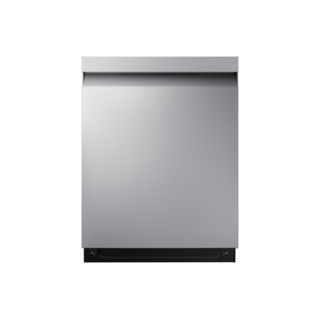
Samsung’s control and cycle guide covers DW80CG542* alongside a few named related platforms. Use the chart only when the full model family appears there, and read the panel label as printed rather than assuming another DW80 dishwasher has the same cycle set. For the DW80CG5420, the matching user manual is linked from Samsung’s exact support page; use it to interpret selections and options.
Samsung DW80CG5420SR/AA is the exact code in this catalog record. This topic should be evaluated for that code and dishwashers category. The original source record is linked below; unrecorded settings, dates and compatibility remain unknown.
Choose a program by soil, load size, and dish material, then interpret cycle duration and results in light of the machine’s design.
Owner guide: Cycles & programs
Category & symptom guidance
Cycles & programs
4 minute read · Shared guidance for dishwashers
Choose by soil and load
For a full load of ordinarily soiled plates, cups, and utensils, the everyday or normal program is usually the starting point when the manufacturer describes it for that purpose. Heavily soiled cookware may call for a heavy program; lightly soiled items may suit a shorter or lighter program if the manual permits those dishes. A rinse-only program is for holding a partial load until a later wash, not for removing food soil, and generally should not receive detergent.
Auto or sensor programs adjust operation based on detected soil and may change duration. That makes them useful when load conditions vary, but their final time is not necessarily predictable from the panel’s initial estimate. Choose based on the food soil and item care requirements rather than assuming the shortest listed time is the best match.
Separate heavily soiled cookware from lightly soiled or delicate items when practical.
Choose a wash program that explicitly matches the load’s soil level.
Use a rinse-only program only when the manual defines one and dishes will be washed later.
Understand short programs
A quick or one-hour program trades time for a narrower job, often lightly soiled dishes. It may use different fills or wash stages than a longer program, so detergent placement can matter. The GE shared manual excerpt gives a model-family example: for its covered short cycles, it directs single-dose detergent to a particular compartment or location, while longer cycles use the main compartment. Verify that advice against your appliance and detergent directions before applying it elsewhere.
Short programs are not automatically suitable for dried-on food, a crowded load, or cookware. If cleaning is poor, first check whether the soil exceeded the program’s intended use and whether spray arms and the dispenser were clear. Moving to a more suitable program is often a better adjustment than adding extra detergent blindly.
Options change the program
Temperature boost, steam, sanitizing, bottle jets, and rack-zone options are examples of add-ons found on some models. Each has a specific purpose and may extend the run. A sanitizing option requires the machine to meet monitored conditions; interruption or insufficient incoming water temperature can prevent the sanitized indicator from appearing. Do not treat the option name alone as proof that the condition was achieved.
A zone wash is intended for dishes placed in the designated rack, and a bottle-jet feature targets suitable tall containers only when present. Do not select a partial-rack option while dishes occupy both racks unless the manual says that configuration is supported. The exact feature list is model-specific, as illustrated by the GE shared guide’s “on some models” notes.
Why displayed time changes
Cycle duration can vary with soil sensing, incoming water temperature, selected options, and pauses or door openings. A displayed estimate that increases during operation does not by itself prove a fault. The GE guide explicitly notes that actual time varies with soil, water temperature, and options, and describes additional heating time under certain inlet conditions for its covered models.
Compare runs only when the load, program, options, and household conditions are similar. If cycles repeatedly stop, show a fault, or leave standing water, record the point at which the problem occurs and check the troubleshooting guidance for that model. A single longer run after a cold-water start or added option is a weak basis for diagnosing a failure.
Treat drying as part of the cycle choice
Drying can use a heated element, retained heat and condensation, a fan, or an automatically opening door, depending on design. An option named “air dry,” “boost,” or “extra dry” should be interpreted using the machine’s manual. Bosch support highlights loading, rinse aid, and the drying system as relevant to a wet result; it does not mean every dishwasher has the same hardware or control choices.
Plastic containers and items with deep bases often retain water even when other dishes are dry. Position them so water can drain, use an available drying option when useful, and allow the cycle’s intended drying stage to finish. If your model opens the door automatically, leave clearance and follow the care guidance for surrounding cabinetry and countertops.
What to do with what you find
Dried food remains after a quick program.
The load may exceed the intended soil range of that cycle.
Use the program intended for heavier soil and ensure dishes do not block spray movement.
The run time changes after selecting options or starting with cool inlet water.
Heating and option stages can alter duration.
Compare like-for-like cycles and investigate only if repeated interruptions or fault indications occur.
Have these details ready
Program and options selected
Load soil and arrangement
Displayed time, completion indicators, and any interruption
Common questions
Does a rinse program clean dishes?
A rinse-only program generally wets dishes for a later wash without dispensing detergent; confirm the exact manual description.
Is the normal program always the fastest or most efficient?
Not necessarily. It is commonly designed for ordinary loads, while time and energy depend on options and the machine’s tested program characteristics.
General background sources
These sources support the shared guide. Exact model specifications and matched family procedures have their own sources above.