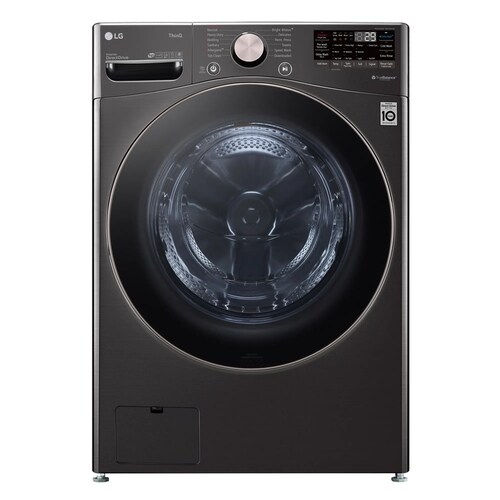
LG WM4000HWA / WM4000HBA front-load washers
Trace WM4000 vibration from installation to the specific load
The WM4000HWA/HBA is a high-speed front-load washer with a 4.5 cu. ft. drum. A little movement during spin differs from a cabinet that rocks, walks, bangs, or stops with an error. LG’s support guidance identifies load distribution, level floor contact, and shipping restraints as owner-visible checks for front-load vibration.
Use the stage and load pattern to narrow the question: new vibration immediately after installation, vibration only with bedding, and vibration on every spin are different histories. Do not keep running a washer that moves dangerously or strains hoses. Capture the sound and movement from a safe distance and report it with the cycle.
Locate when the vibration begins
Note whether it happens during filling, tumbling, draining, or high-speed spin. Record the cycle, load size, and whether one large item or a mix of heavy and light fabrics was present. LG notes that tangled or uneven loads and bulky single items can create an imbalance. If vibration appears only with one type of load, try the relevant load guidance from the WM4000 manual rather than treating it as a constant machine symptom.
Pay attention to whether the washer rocks diagonally when idle, whether the floor flexes, and whether the unit shifted from its prior position. Do not judge severity from sound alone: a brief video of the cabinet and floor from a safe distance can show whether the unit is stationary or walking.
- Record cycle stage, load type, room/floor, and whether the cabinet moves.
Check recent installation first
If vibration began on the first use or after moving the washer, review the installation receipt and manual for transport-bolt removal. LG explains that shipping restraints left in place can cause strong vibration. Do not attempt to reach behind a heavy washer in a tight closet; ask the installer to confirm the rear restraints and leveling if access is limited.
Check whether all feet appear planted and whether the unit rocks when gently pressed at diagonal top corners. LG’s instructions emphasize a firm level floor and stable foot contact. Adjustments require the unit to be safely accessible and the manual’s procedure; if the washer is stacked, do not shift or tilt it alone. Loose stacking hardware or a damaged floor needs installer/service attention.
- For recent installation, have the installer verify shipping hardware, floor support, leveling, and stack kit security.
Test the load before changing settings
If the unit is stable and no leak or severe banging is present, redistribute tangled laundry and avoid a single heavy wet item as the only test. Ensure garments can move freely in the drum; an overfilled load cannot rebalance easily. Use the appropriate documented cycle for bedding or bulky items, and compare with a small balanced load only if the manual permits.
Do not respond to vibration by selecting the maximum spin speed for every load. The WM4000 options and cycle availability depend on the chosen cycle. Record the selected spin setting and any unbalance message. If a balanced small load still makes the cabinet move, load distribution becomes less likely as the whole explanation, but that does not identify a failed part.
- Try one balanced load and note whether the same vibration returns at the same cycle stage.
Use a standalone spin only as a controlled comparison
The WM4000 manual describes a Spin Only function. If controls respond and the washer is stable, use the specific manual sequence for this model and supervise the test. A short controlled comparison can show whether vibration occurs without a wash load or only when particular laundry is present. Stop immediately if the washer walks, bangs, or threatens to pull a hose.
If the vibration persists with a balanced test and the feet/floor are stable, capture the result and request service. Avoid running repeated high-speed tests to “see if it settles”; repeated movement can damage flooring and connections. A stacked installation, unusual floor, or unit that shifted after a move should be checked by an installer familiar with the laundry setup.
- Document the comparison and stop the test if the washer moves or bangs severely.
Prepare a service description
Give LG the exact model and serial, installation date, whether the unit is stacked, floor type, load/cycle when it occurs, and whether the washer rocks while idle. Include a brief video and any code. State whether the symptom began after transport or has steadily worsened. Avoid diagnosing shock absorbers, bearings, or a motor based only on noise.
If the washer leaks, walks, or contacts cabinets, stop using it until the installation or service team evaluates it. Keep the water and drain hoses visible and avoid moving the unit without help. The technician can use the timeline and controlled load comparison to decide which checks are needed.
- Provide the symptom timeline, video, and installation details with the repair request.
Common questions
Is some vibration normal during spin?
The washer will move more during high-speed spin than during a gentle tumble, but repeated rocking, walking, or banging merits a load and installation check. Describe what the cabinet does, not just how loud it sounds.
Should I remove the shipping bolts myself?
If the washer is already installed in a tight or stacked location, have the installer verify access and removal. LG warns that retained shipping restraints can cause excessive vibration.