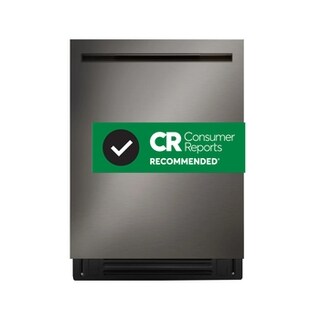
Specifications for LDNPH753D with owner checks for this product design. Use the matching manual for control sequences and replacement parts.
Specifications & model details
LDNPH753D: model-specific checks
Start with the source identity
LG LDNPH753D is the exact code in this catalog record. This topic should be evaluated for that code and dishwashers category. The original source record is linked below; unrecorded settings, dates and compatibility remain unknown.
Use the display and indicator pattern to identify the dishwasher’s next safe owner check, then distinguish a temporary interruption from a fault that needs service.
Owner guide: Error codes & indicators
Category & symptom guidance
Error codes & indicators
4 minute read · Shared guidance for dishwashers
Capture the signal before resetting
Write down the full code or describe the exact lights: steady or flashing, color, sequence, and whether beeps accompany them. Note whether the machine was filling, washing, draining, or finishing when the signal appeared. A photo can preserve a pattern that disappears after the door is opened. Codes are brand and model specific; a label such as “E” or a blinking number cannot be decoded reliably from a different machine’s guide.
If the display is blank, record that separately from a code. If it shows a remaining time, compare it with the indicator rather than assuming the timer itself is an error. Avoid repeatedly starting and cancelling cycles before recording what the machine reports.
Photograph the display and indicator lights before touching controls.
Record the stage, recent interruption, and whether water remains in the tub.
Look up the exact code only in owner information for the identified model.
Separate interruption messages from faults
A flashing Start indicator can mean the door was opened or a cycle was interrupted, rather than that a component failed. In the cited GE shared manual, the owner response is to press Start once and close the door within four seconds; a second press while running is for cancelling. That timing and behavior apply to the named manual family only. On another dishwasher, use its own start and resume instructions.
A repeating door reminder may stop after the door is closed and the cycle resumed. Confirm the door is fully latched and the control is not locked before interpreting a missed start as a fault. Delay-start settings can also make a machine appear idle while a countdown is pending.
Check whether the door was opened during operation and whether a delay is selected.
Resume only using the machine’s labeled controls or exact-model instructions.
If the same code returns, preserve it and note what happens immediately before it returns.
Read lights in context
A light can communicate completion or an option state rather than a failure. For example, the GE manual describes a Sanitized light as an end-of-cycle result when the selected sanitizing option met its monitored conditions; interruption or insufficient incoming water heat can prevent that result. A missing completion light therefore does not by itself identify a broken heater. Record the selected option and whether the cycle was interrupted.
Smart Assist indicators are also model dependent. The cited GE guidance associates a red light with a potential issue to investigate through its app, and a yellow light with an available notification. If the dishwasher is not connected, that manual points owners to the display code and service pathway. Do not infer the same meaning for similarly colored lights on other brands.
Note selected wash and drying options alongside the indicator.
Treat completion or sanitation status separately from a fault code.
Use an app only if the exact model supports it and the indicator instructions identify it.
Choose a proportionate next step
After documenting the signal, perform only the owner checks linked to it in the exact-model guidance. A filter-cleaning prompt, if the model has one, may call for accessible routine care; a fill, drain, leak, or electrical fault can require a different response. Do not remove panels, probe wiring, defeat a latch, or keep running a machine that is leaking or repeatedly stopping.
If a single interruption clears and a normal cycle completes without recurrence, note that outcome. If the code returns, the appliance stops at the same stage, or a warning is paired with water on the floor or a burning smell, stop using it and arrange diagnosis through the manufacturer or a repair provider. Provide the code and sequence so the visit can start with evidence rather than guesswork.
Follow the code-specific owner action, if documented.
Run one ordinary observation only when no leak, overheating, or other stop condition exists.
Share the exact signal and recurrence pattern when arranging diagnosis.
What to do with what you find
The Start light flashes after the door was opened, and the machine otherwise appears normal.
This may be a paused or interrupted cycle; the exact control sequence depends on the model.
Use the model’s resume instruction once and observe whether the cycle continues.
The same code or indicator returns at the same cycle stage.
A recurring condition is more likely than a one-time interruption.
Stop repeating resets and provide the recorded signal and stage for diagnosis.
Have these details ready
Exact code or clear photo of the full display and lights.
Cycle stage, selected options, interruption history, and whether the signal recurred.
Common questions
Does a flashing Start light always mean a failed part?
No. On the GE manual family cited here it can indicate an opened door or interrupted cycle. Confirm the exact model’s meaning before assuming a component failure.
Can I use a code list from another dishwasher brand?
No. Similar-looking codes can mean different things. Match the code to the exact model’s owner guidance or support page.
General background sources
These sources support the shared guide. Exact model specifications and matched family procedures have their own sources above.