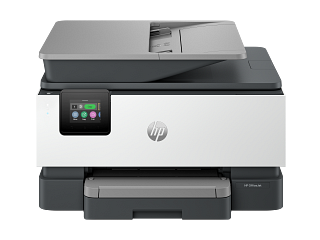
Guidance for HP printers & imaging. Check the feature and control descriptions against your model.
Specifications & model details
C2VZ0A: model-specific checks
Use this model’s marking technology
HP C2VZ0A is recorded as Ink Jet (IJ). For missing colors or broken lines, start with an internal print-quality/nozzle-check page before choosing the manufacturer’s cleaning level. Check the actual cartridge or tank arrangement before buying ink; a marking-technology label does not specify the refill system.
Compare diagnosed repair cost with workload, supplies, driver support, functions, and replacement setup.
Owner guide: Repair or replace?
Category & symptom guidance
Repair or replace?
3 minute read · Shared guidance for printers & imaging
Compare the printer’s workload with the replacement
List monthly page volume, color versus monochrome mix, duplex needs, paper sizes, scanner/ADF use, network sharing, and mobile printing. A replacement that has a lower purchase price may lack a feeder, duplexer, tray, or supported driver. A repair may preserve a workflow that depends on scan destinations or custom media settings.
Check actual failure diagnosis. A broken USB cable, outdated driver, or network issue is not a reason to replace the printer. Use an internal page and a copy test to separate hardware from host software.
Calculate the full ownership cost
For repair, add diagnosis, labor, part, shipping, and follow-up. For replacement, include delivery, supplies, maintenance parts, setup, driver compatibility, disposal, and any needed accessories. Compare official supply costs and yield assumptions for the page mix you print. Ink tanks, cartridges, and toner systems have different purchase and service patterns; compare the exact products rather than broad technology stereotypes.
Include the value of scan, duplex, ADF, and network functions. A cheaper printer may cost more if it cannot do a core task.
Check software and supply availability
Before keeping an older unit, confirm the manufacturer still provides drivers or scan software for the computer systems you use. If a generic driver supports only basic printing, advanced scan or maintenance functions may be unavailable. Check availability of official supplies and maintenance boxes in your region. Do not infer support end dates without an official statement.
For a replacement, verify operating-system support now and the official supply codes. Save the exact support page and warranty terms.
Plan the transition and data handling
A multifunction printer may store scan destinations, address books, fax settings, network credentials, and saved jobs. Before disposal or exchange, use the model’s documented reset or secure erase procedure. Keep any settings that must be migrated, but do not retain other users’ personal information.
If replacing a shared workplace printer, coordinate with IT for queues, IP reservations, scan folders, and access controls. Print and scan test pages before retiring the old device.
Compare supply systems using your actual pages
For each candidate, estimate the mix of plain black text, color documents, and photos. Use official yield figures as a starting point and note their test coverage. Cartridge ink, refillable tanks, and toner differ in how supplies are purchased and serviced; do not rely on category-wide claims about which is always cheapest. Include maintenance boxes, drums, fusers, paper, and service access where relevant.
If printing is infrequent, consider whether the manufacturer’s storage guidance and the printer’s maintenance behavior suit that use. If volume is high, compare supported monthly workload and duty guidance. Exact models and your page mix determine the practical ownership cost.
If a replacement printer changes the scan workflow, include the time required to recreate address books, shared folders, and user permissions. A device that prints cheaply may not replace a required feeder or secure-scan process.
General background sources
These sources support the shared guide. Exact model specifications and matched family procedures have their own sources above.
Certification dataset declaration; check manufacturer installation documents for fit and clearances.
Observed Oct 31, 2026
A comparison group built from recorded designs
HP inkjet imaging products
93 records in this manufacturer/public-source group. The group uses the brand, category and recorded design, rather than a guessed series or production year.
5.0–48.0 ipm or mppmprint speed · 93 source values
These are source-record ranges. They do not establish current availability, a shared repair platform or installation compatibility.