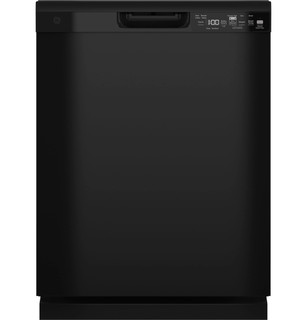
The GDF550 manual’s start sequence requires a selected cycle and a closed door to continue. Check the latch area for an item blocking closure and note whether the panel responds. If the breaker trips or a burning odor appears, stop and use qualified service; do not access hardwired connections.
Check door latch, control state, and breaker once
The GDF550 manual’s start sequence requires a selected cycle and a closed door to continue.
If the breaker trips or a burning odor appears, stop and use qualified service; do not access hardwired connections.
GE GDF550PGRBB is the exact code in this catalog record. This topic should be evaluated for that code and dishwashers category. The original source record is linked below; unrecorded settings, dates and compatibility remain unknown.
When the panel responds but washing does not begin, check the door, delay, lock, interruption, and selected cycle state in a controlled order.
Owner guide: Power on, cycle not starting
Category & symptom guidance
Power on, cycle not starting
4 minute read · Shared guidance for dishwashers
Confirm the machine is awake
A lit display or indicator shows that the control has some power, so begin with the start conditions rather than the household breaker. Note what is illuminated and whether the selected cycle appears on the panel. A control that wakes briefly and then goes blank is a different symptom; photograph any displayed code before it disappears.
Avoid pressing several pads rapidly or holding them in combinations not printed on the machine. A sequence can change options, lock controls, cancel a cycle, or start a delayed countdown. First identify the current state from the labels and the exact model’s instructions.
Photograph the lit controls and selected cycle.
Note whether any lock, delay, or status light is showing.
Do not experiment with undocumented multi-button holds.
Check latch and door clearance
Make sure a utensil, rack, or dish is not projecting into the door path. Push racks fully in and close the door normally; do not lean on it or slam it to force a latch. A loaded upper rack may be heavy, and rack position can affect whether the door closes squarely. Check the gasket edge for an object caught across it.
If the controls respond but the cycle starts only when the door is held or lifted, stop trying to compensate with pressure. That pattern suggests alignment or latch service. Do not defeat the latch or insert tools around it.
Look along the door perimeter for an obstructing item.
Ensure racks are fully seated and the door closes without force.
Stop if normal closure does not produce a secure latch.
Clear delay and control-lock states
A Delay Hours option can intentionally postpone washing while the panel remains on. Check whether a delay indicator or countdown is visible and cancel it only through the exact model’s documented method. Similarly, a control-lock light can block new selections. Locking mechanisms differ by brand and product family; a familiar-looking pad does not guarantee the same unlock action.
The GE shared manual describes different lock methods for its GE and Profile families, including an app-based route for some Profile controls. Those are narrow examples, not general instructions. Use the label and instructions for your exact machine, and confirm the lock indicator changes before selecting a cycle again.
Inspect the panel for delay countdown or lock indication.
Use the model’s documented cancel-delay or unlock procedure.
Verify the control state changed before pressing Start.
Start and resume in the right sequence
Some controls accept cycle selection with the door open but begin only after Start is pressed and the door is closed within a specified interval. GE’s GD*640–670 / PD*705–795 owner manual specifies four seconds for its covered models. Other machines may have a different start action or use a separate confirm control. Use the sequence printed on the panel or in the exact owner instructions, then listen for filling or another clear start indication.
If a cycle was interrupted by opening the door, the GE manual says Start and prompt door closure resume it. A flashing Start indicator in that manual’s troubleshooting table is tied to interruption. If you intended to cancel, the same manual uses a different action. Avoid cancelling repeatedly when the aim is to resume.
Select a cycle and follow the exact model’s Start and door-close sequence once.
If interrupted, use the documented resume action rather than cancelling.
Observe for a clear fill or wash start and note any new indicator.
Interpret a failed start by its pattern
If the controls remain lit, the door latches, and the machine does not begin, record whether it makes a fill sound, drains briefly, beeps, or shows a code. A brief drain or waiting period may be part of a model’s normal sequence, so compare with its instructions instead of relying on a fixed time estimate. If the same failure repeats at the same point, stop cycling through buttons and provide that sequence to support.
If the panel goes dark, a breaker trips, or the appliance smells hot, treat it as a power or electrical concern rather than a start-setting puzzle. Leave internal checks to qualified service.
Record sound, indicators, and whether water enters or drains.
Compare behavior with model-specific start guidance.
Escalate recurring failure or any electrical warning sign.
What to do with what you find
A delay or lock indicator is present and changes after the documented control action.
The dishwasher was held by a selected control state.
Choose the cycle again and use its exact start sequence.
Controls remain lit, door closes normally, but repeated correct starts produce no wash.
A latch, control, fill, or other system issue may need diagnosis.
Record the lights and sounds and request model-specific support.
Have these details ready
Panel indicators, selected cycle, delay or lock status, and exact response after Start.
Door closure behavior, sounds, and whether filling or draining begins.
Common questions
The panel is lit. Does that mean the dishwasher has started?
No. It may be waiting for Start confirmation, door closure, a delay countdown, or an unlocked control state.
Can I use a button combination from a similar dishwasher?
No. Control sequences differ, including within a brand. Use the instructions for the exact model.
General background sources
These sources support the shared guide. Exact model specifications and matched family procedures have their own sources above.