Note whether the sound comes from the fresh-food area, freezer drawer, or rear/bottom; whether it occurs with a door open; and whether it began after moving or loading the unit. A brief change during cooling operation differs from a persistent scrape, repeated hard knock, or new loud buzz. Stop using the appliance and seek service if noise accompanies heat, smoke, or a burning smell. The manual can help identify normal operating sounds, but sound alone cannot isolate an internal part.
Record where and when a sound occurs
Note whether the sound comes from the fresh-food area, freezer drawer, or rear/bottom; whether it occurs with a door open; and whether it began after moving or loading the unit. A brief change during cooling operation differs from a persistent scrape, repeated hard knock, or new loud buzz. Stop using the appliance and seek service if noise accompanies heat, smoke, or a burning smell.
The manual can help identify normal operating sounds, but sound alone cannot isolate an internal part.
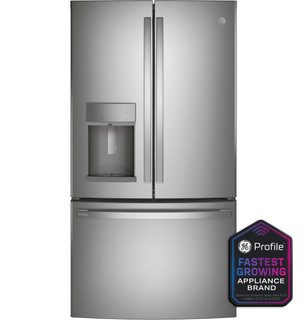
GE Profile PFE28KYNFS is listed with Frost Guard defrost. Use the branch for the listed defrost system. Note whether frost is confined to a door edge, covers stored packages, or returns on an interior surface. Door closure, moisture entry and a defrost-system problem produce different patterns.
Track where and when a refrigerator sound occurs, check visible contact points, and use changes in the sound pattern to decide whether to seek service.
Owner guide: Noise & vibration
Category & symptom guidance
Noise & vibration
5 minute read · Shared guidance for refrigerators
Describe the sound and its timing
A useful noise report distinguishes a steady hum from a buzz, rattle, click, scrape, or intermittent sound. Note when it begins, how long it lasts, and whether it occurs during a door opening or another visible event. Stand nearby and listen without reaching behind or beneath the appliance. Record whether the sound seems to come from inside a compartment, the door, or the cabinet area, while treating location as an estimate. Refrigerators can produce routine operating sounds as they run, but a new sound or a marked change in volume deserves attention. A short recording can help a service provider understand the pattern, especially if the sound stops before an appointment.
Write down the sound quality, duration, and time pattern.
Make a short recording if it can be done safely.
Estimate the source location without moving the appliance or opening panels.
Check for loose items and contact
Before assuming a mechanical fault, check whether bottles, jars, trays, or stored items touch each other or a shelf in a way that could rattle. Look at the door bins and nearby cabinet surfaces for visible contact, and confirm the refrigerator sits steadily without rocking when approached normally. Do not push hard on the appliance or try to adjust hidden feet by reaching underneath. If a sound changes when you reposition a loose bottle or remove an item that touches the cabinet, that observation points to an external vibration source. If the noise continues unchanged, record that too. These checks are limited to accessible items and visible contact; they do not establish the condition of a fan or compressor.
Reposition loose containers and items that visibly touch one another.
Check for visible contact between the refrigerator and nearby cabinetry.
Note whether the sound changes after the external adjustment.
Relate hums and airflow sounds to operation
A low hum or brief running sound may coincide with the appliance operating, and airflow noise may seem to come from a compartment. Record whether the sound starts and stops with a noticeable operating cycle, but do not try to identify a compressor or fan by sound alone. If food blocks a visible air outlet, rearrange the food and note whether the noise or cooling pattern changes. Keep observations distinct from conclusions: a sound near an interior vent is not proof that a fan has failed. Persistent scraping, grinding, or a sound that grows louder is more useful to report with its timing and location. Internal fans and electrical components are technician work if inspection is needed.
Note whether the sound follows an operating cycle or door event.
Clear only visible food obstruction near air outlets.
Describe persistent or changing sounds for a technician.
Consider ice maker and water sounds only when equipped
If the refrigerator has an ice maker, a short sound may occur as the appliance operates that feature, and water-related sounds may coincide with an ice-making event. Confirm whether the model is equipped and whether the sound matches a visible event, such as a fill or ice drop, before describing it as related. Do not apply ice-maker explanations to a model without that equipment. GE's support material provides external ice supply checks for GE appliances; those instructions are brand-specific and should not be treated as general noise diagnosis. If a sound coincides with visible water leakage or does not fit the appliance's documented operation, stop using the suspected feature if the model allows and seek service guidance.
Confirm the appliance has the feature before linking a sound to it.
Compare the sound timing with a documented ice-making event.
Use manufacturer instructions for the exact model and brand.
Recognize a changed or concerning sound
A sound that becomes substantially louder, changes character, or repeats with a new pattern is worth escalating, particularly if cooling also changes. Record the sound and compare it with earlier observations rather than relying on memory. If there is a burning smell, visible damage, or evidence of water near electrical areas, stop owner checks and seek professional guidance. Do not pull the refrigerator out to listen close to the rear or remove covers to reach a suspected source. Tell the technician when the change began, whether doors or ice-making events affect it, and whether measured temperatures remain in range. That evidence helps service focus on the symptom without asking you to identify an internal part.
Record changed sound and any related cooling or visible condition.
Avoid moving the appliance or removing panels to find the source.
Arrange service if the sound is new, worsening, or paired with other symptoms.
What to do with what you find
A rattle stops after separating bottles that were touching on a shelf.
The sound changed with an accessible stored item, so that contact is a plausible external source.
Keep items separated and observe whether the rattle returns during normal operation.
A sound occurs only when an equipped ice maker appears to fill or drop ice.
The timing is consistent with the feature's operation, but the sound should be checked against the exact model's documentation.
Review the model manual and use brand-specific support instructions if the sound is unusual.
A new grinding or substantially louder sound continues and cooling also changes.
The changed pattern plus a cooling symptom warrants professional assessment; it does not identify a component.
Record the sound and temperatures, protect food if needed, and arrange service.
Have these details ready
Sound recording and description of timing, duration, and estimated location.
Whether moving accessible items changed the sound.
Any related door, ice maker, leakage, or temperature observations.
Common questions
Is a hum always a sign of a failing compressor?
No. A hum can accompany normal operation. Record its timing and any cooling change; a technician can assess internal components.
Should I pull the refrigerator out to locate a rattle?
No. Check accessible stored items and visible cabinet contact. Leave rear access and internal inspection to a technician.
General background sources
These sources support the shared guide. Exact model specifications and matched family procedures have their own sources above.
Printed page19, PDF page10, PFE28KYN product block and option footnote
Catalog explicitly names the three finish variants. Options are separately sold; this does not establish installed accessories, current availability or individual manufacture date.
Printed page19, PDF page10, PFE28KYN product block and option footnote
Catalog explicitly names the three finish variants. Options are separately sold; this does not establish installed accessories, current availability or individual manufacture date.