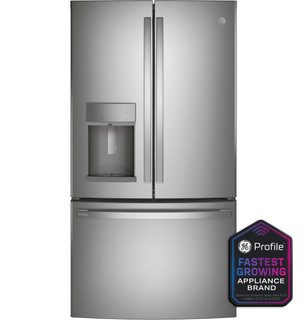
The owner manual’s parts illustration helps identify shelves, bins, drawers, and controls for this family. It is not a wiring diagram or permission to remove a sealed panel. Use the full-code GE parts view when ordering; if the illustration does not match the appliance in front of you, stop and verify its rating-label model. Keep the manual matched to the model suffix.
Use diagrams to locate removable storage only
The owner manual’s parts illustration helps identify shelves, bins, drawers, and controls for this family. It is not a wiring diagram or permission to remove a sealed panel. Use the full-code GE parts view when ordering; if the illustration does not match the appliance in front of you, stop and verify its rating-label model.
Use parts illustrations to identify components and installation drawings to understand placement; leave wiring and service schematics to qualified technicians.
Owner guide: Diagrams & wiring references
Category & symptom guidance
Diagrams & wiring references
5 minute read · Shared guidance for refrigerators
Choose the drawing that answers your question
A parts diagram is an exploded illustration that shows components and their relationships, usually with numbered callouts tied to a parts list. It helps identify an orderable shelf, bin, or other listed component. An installation drawing shows how an appliance or accessory is positioned or connected during setup. A wiring or service schematic describes electrical circuits and service relationships; it is intended for technical diagnosis and repair. These documents are not interchangeable. If you need to identify a replacement bin, a parts illustration is the relevant starting point. If you are planning a permitted owner installation, consult the accessory instructions. If the question involves wires, electrical measurements, refrigerant, or internal service access, use the information to describe the issue to a qualified technician rather than attempting the work.
State whether you need to identify a part, plan an installation, or understand a service issue.
Choose the corresponding parts list, installation document, or service reference.
Keep wiring and internal service work with a qualified technician.
Match the diagram to the exact model
A drawing can look correct and still represent a different configuration. Find the complete refrigerator model number before using a parts illustration, and check that the diagram or lookup explicitly applies to it. Manufacturer support and model-specific parts resources are better references than an image reposted without its model context. Read the document title and any model range, revision, or production notes. If the parts list has multiple options for a single callout, note the qualifiers instead of assuming they are interchangeable. Some illustrations simplify or omit small details to show relationships clearly; use the associated part numbers and notes to resolve ambiguity. If you cannot establish that a diagram belongs to your model, treat it as a visual clue only and confirm through official support.
Record the full model number from the appliance label or paperwork.
Check the diagram title, covered models, revision, and notes.
Use the linked parts list or official support to confirm a callout number.
Read an exploded view and its legend
An exploded view separates parts visually so their order and relation can be understood. Start with the callout number printed beside the component, then find that number in the legend or parts list. Read the complete description and part number; a callout number is not necessarily the orderable part number. Look at neighboring components to understand where the item belongs, but do not assume every component shown is removable by an owner. A screw or cover appearing in the drawing may be part of a service assembly. If one callout lists several variants or notes an assembly, follow the text rather than selecting the item that looks most familiar. When asking support for help, give the model, diagram name, and callout number so the representative can follow the same reference.
Locate the callout beside the component and match it to the legend.
Record the listed description and complete part number.
Check notes for assembly status or model-specific alternatives.
Use installation drawings within their scope
Installation drawings are useful for owner setup when the instructions identify the task as owner-performed and the necessary connections are accessible. They may show orientation, routing, clearances, or the location of an accessory. Read warnings and prerequisites before moving the refrigerator or connecting a line. A drawing does not authorize work that the accompanying instructions reserve for an installer or technician. If the task requires removing an appliance cover, handling electrical wiring, or changing a plumbing connection beyond the documented owner steps, stop and arrange qualified help. For a delivery or fit question, use the installation document to communicate the required layout to the retailer or installer; do not improvise dimensions from a cropped illustration.
Read the complete installation instructions and identify owner-permitted steps.
Use dimensions and conditions stated in the document rather than estimating from the drawing.
Arrange qualified installation if the work exceeds the stated owner steps.
Leave electrical schematics to service professionals
A wiring schematic can include symbols, connector references, and circuit paths that are meaningful to trained service personnel. It is not an invitation to remove panels, touch wiring, test voltage, bypass a control, or probe a connector. Those actions can expose energized parts and may damage the appliance. If a service document is available, you can safely tell a technician its title or share the relevant page, along with the refrigerator model and the observed symptom. Keep the refrigerator assembled and do not attempt to interpret an unfamiliar wire color as proof of function. Manufacturer support can help route a model-specific question, while a qualified technician decides whether the schematic applies and what inspection is appropriate.
Do not open panels or probe wiring based on a schematic.
Record the model and describe the external observation to the technician.
Share the document reference and let qualified service determine its use.
What to do with what you find
A parts diagram matches your full model and its callout legend lists a specific replacement part.
The illustration can support identification of that orderable item.
Verify the part number in the model-specific parts listing before ordering.
The drawing has no model range, revision, or associated legend.
It may be illustrative but cannot reliably establish a fit or part identity.
Find the official model-specific diagram or ask manufacturer support to confirm the reference.
Answering the question would require opening an electrical panel or testing wires.
The task falls into service work beyond safe owner use of a schematic.
Keep the appliance closed and provide the model and observed facts to a qualified technician.
Have these details ready
Full model number
Diagram title and revision or model range
Callout number and matching legend entry
Official parts listing or installation document
External observations to share with a technician
Common questions
Does a callout number equal the part number?
Usually it is an index into the diagram’s legend. Use the legend’s full part number for ordering.
Can I use a wiring diagram to check a connector myself?
No. Wiring diagrams are service references; leave panel access and electrical testing to qualified service.
General background sources
These sources support the shared guide. Exact model specifications and matched family procedures have their own sources above.
Printed page19, PDF page10, PFE28KYN product block and option footnote
Catalog explicitly names the three finish variants. Options are separately sold; this does not establish installed accessories, current availability or individual manufacture date.
Printed page19, PDF page10, PFE28KYN product block and option footnote
Catalog explicitly names the three finish variants. Options are separately sold; this does not establish installed accessories, current availability or individual manufacture date.