Samsung separates Smart Monitor M5 and M7 support and asks for a model code for manuals and downloads.
Original sourceSamsung monitors
Samsung monitors include conventional displays, gaming families, and Smart Monitors with built-in services. Their input behavior, controls, smart functions, and computer support vary by exact model.
Manufacturer support guidance across this brand/category
Features and control layouts vary. Individual notes state when guidance applies to a particular design or model.
What distinguishes this group
Samsung’s blank-display path distinguishes an unavailable signal from a monitor whose own menu does not appear.
Original sourceSmartThings availability includes supported Smart Monitors but is not universal.
Original sourceExplore the guidance on a matching model
Match the source to the port in useS27A700NWNDecide whether it is a Smart MonitorS27A700NWNUse the on-screen display for source selectionS27A700NWNUse model-specific driver and firmware downloadsS27A700NWNCheck stand, VESA and cable access by exact modelS27A700NWNRecord the on-screen message and source stateS27A700NWNSeparate monitor service from computer supportS27A700NWNCompare monitors by product line and exact port setS27A700NWN
Research sources
The display is blank on my Samsung monitor
Power/OSD/source checks and one-video-cable guidance.
Smart Monitor Monitors | Samsung Business Support
M-series model lookup, manuals and product support.
Use SmartThings on your Samsung TV
Smart Monitor eligibility and connected feature requirements.
Source-grounded notes authored with GPT-6 Luna. Model-specific procedures stay within the source-listed scope.
Scope details
- The brand match does not prove SmartThings, a particular OSD layout, resolution, refresh rate, USB-C power, speaker, or VESA pattern.
Models in this guide
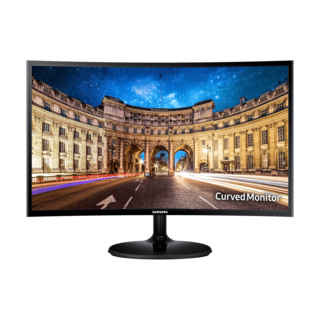
Historical record
Samsung · Monitors & displays
C24F390FHN
- Screen diagonal 23.5 in
Photo: LC24F390FHNXZA (Canadian listing) · Credit
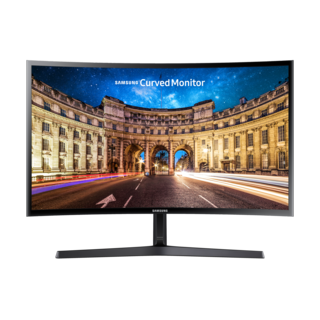
Historical record
Samsung · Monitors & displays
C24F396FHN
- Screen diagonal 23.5 in
Photo: C24F396FHN · Shared source photo · Credit
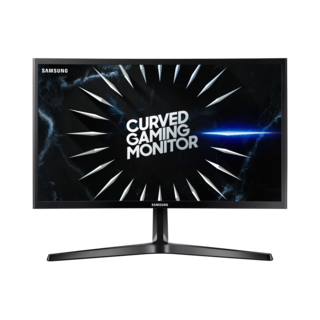
Historical record
Samsung · Monitors & displays
C24RG50FQN
- Screen diagonal 23.5 in
Photo: LC24RG50FQNXZA (Canadian listing) · Credit
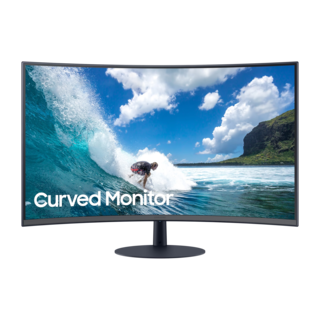
Historical record
Samsung · Monitors & displays
C24T550FDN
- Screen diagonal 23.6 in
Photo: LC24T550FDNXZA (Canadian listing) · Credit
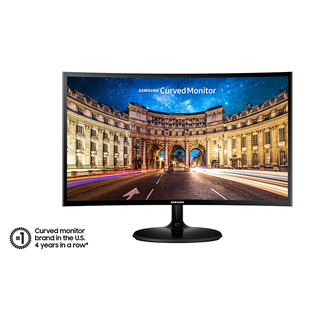
Historical record
Samsung · Monitors & displays
C27F390FHN
- Screen diagonal 27 in
Photo: C27F390FHN · Credit
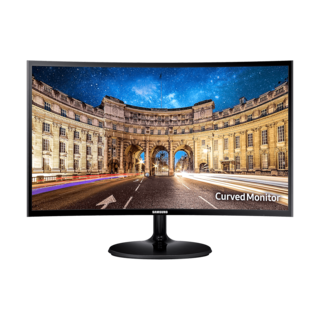
Historical record
Samsung · Monitors & displays
C27F396FHN
- Screen diagonal 27 in
Photo: LC27F396FHNXZA (Canadian listing) · Credit