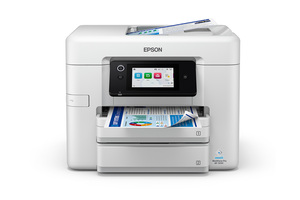
Guidance for Epson printers & imaging. Check the feature and control descriptions against your model.
Specifications & model details
C11CL86201: model-specific checks
Use both product and source names
Epson C11CL86201 is listed under ENERGY STAR partner Epson America, Inc.. Search support by the retail brand and full product code. The partner name helps distinguish the certification record from a similarly named product; it is not a declaration of the current warranty provider.
Use the source-listed product name as well as the code
The source records associate Epson C11CL86201 with WF-5930. Keep both names in the support lookup. A certification model number and a retail product name can differ; the original source establishes this relationship, while the matching manufacturer document establishes procedure applicability.
Use dated official product, firmware, driver, and supply records to trace what is supported for the exact model.
Owner guide: Model age & history
Category & symptom guidance
Model age & history
3 minute read · Shared guidance for printers & imaging
Use documents tied to the full model code
A model’s history should come from dated manufacturer product pages, manuals, driver releases, firmware notes, and regulatory records. Save the exact code and region with each document. A family page may combine several sizes and revisions; its feature list may not apply to every variant. A retailer page publication date is not necessarily the printer’s launch date.
Separate product announcement, end-of-sale, software support, and manufacture date. These are different events and require different evidence.
Track operating-system and app support separately
Printer hardware may continue to operate while a manufacturer app or scan utility stops supporting a newer operating system. Check the official driver page for the exact printer and current OS. Record whether the available software supports print, scan, fax, and maintenance functions, not just device detection.
Do not infer a formal end-of-support date from an old driver page. If the operating system is absent from the list, ask the manufacturer whether a built-in driver supports the functions you need.
Distinguish supply generations and regional variants
Printers with similar family names can use different cartridges, toner, drums, or maintenance boxes. Use the official supply list for each model and region. A supply code can change while a product family remains visually similar. Save the list with a retrieval date if the printer is used for procurement or fleet planning.
Do not decode serial numbers from unofficial sources to claim a manufacture date. Ask the manufacturer to interpret a unit-specific serial through its support channel.
Create a useful ownership timeline
Record the purchase date, firmware, OS/driver versions, supply codes, maintenance, and service visits. Keep status pages and invoices that show usage or counter readings. This provides evidence for support and helps distinguish a newly introduced problem from a long-standing configuration.
For a resale listing, state the exact code, included supplies, tray and feeder functions, known condition, and current software path. Avoid claims about reliability or remaining life without evidence.
Trace supply changes over time
A model may have different supply recommendations or firmware revisions across regions. Use dated manufacturer documents to see which cartridge, bottle, toner, or maintenance kit codes were officially listed for the unit. If the manufacturer supersedes a part number, confirm that the new code is explicitly compatible. Do not infer compatibility from a seller’s title or a cross-reference table alone.
For a fleet, record supply code changes with the date and affected model list. This prevents purchasing an older or regional supply that cannot be used.
When reporting dates, label each one clearly: announcement, first sale, current driver release, or individual purchase. A retailer’s stock date cannot establish the unit’s manufacture date. Manufacturer firmware page timestamps show only when a file was posted, not necessarily when the printer was discontinued.
Maintain a source list with the date accessed so a future owner can distinguish current downloads from archived product information.
General background sources
These sources support the shared guide. Exact model specifications and matched family procedures have their own sources above.